Twitter can boost your business and marketing efforts, and this guide shows you how Twitter, the simple-to-use microblogging service, offers immense benefits for businesses and organizations. Fire departments, political candidates, and C0EOs have used Twitter to share up-to-the-minute information. Laura Fitton, maybe better known by her Twitter handle - @Pistachio, has more than 10,000 followers on Twitter, and gives presentations on how to use Twitter to build business and personal opportunity. She's joined by Michael Gruen and Leslie Poston to share Twitter expertise in this easy-to-follow guide.You'll discover how to get set up on Twitter, build a follower list, and find a voice for your tweets. Then you'll learn to use third party tools to link Twitter to other sites and incorporate it into business communication models. This book coversThe basics of signing up and creating tweets Following other users and adding followers to your own tweets Mastering the "Twecosystem"-the tools that tie Twitter to many other Web applications, including mobile devices Strategies for enhancing business communication, marketing, and networking opportunities with Twitter Twitter For Dummies gets you up and running on this hot communications tool the fun and easy way.
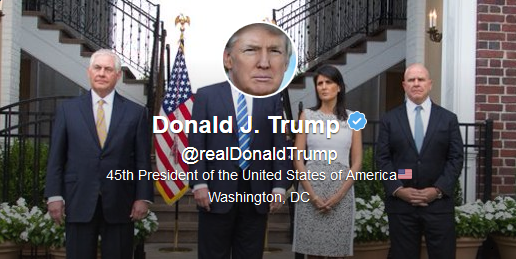
A cheer for users like @realDonaldTrump. He surpassed himself with this new profile pic. His little hands are hardly noticeable. Well done, #LordDampnut!
My edition was released in 2009, so it was seriously out-of-date. That said, it’s still not bad for brand-new users like me. But you could probably get nearly as much from reading a how-to article in USA Today or Adweek, which you can read in a couple of minutes.
I read this book a couple of months ago and I found it really helpful at the time when I was struggling to understand Twitter. Very easy to understand for people like me who struggle to understand anything to do with computers. Must be an age thing.
At the time I was heavily into online competitions to pass my time and won a few prizes on Twitter once I got the hang of this medium. Nothing major with the prizes but it got quite fun being creative with 140 characters.
The problem with Twitter however is that it constantly changes and I cannot understand why when it it works well they have to change things. Grrrr. However even with all the changes this book is extremely useful for anyone who finds Twitter hard to understand. Very highly recommended and glad I purchased this guide as it is very useful to have for reference.
"Facebook is closed, Twitter is open. Facebook is structured, Twitter is scattered. Facebook is people you’ve known, and many you might have wanted to forget; Twitter is people you never knew, but might have wanted to meet. And because of all of that, barring an acquisition or failure to execute . . . Twitter will overtake Facebook and become the backbone of the real-time web.” — Brightidea.com CEO Matthew Greeley (@Brightidea)...
Twitter™ for Dummies® is the second For Dummies® book I’ve read and I’ve noticed that they are all written by different authors (specialists on the subject matter), created using a formulaic outline that includes:
• an Introduction; • a series of Parts divided into Chapters covering a wide range of subjects within the topic; • a concluding Part called “The Part of Tens” – in this book we are offered Ten Twitter Tools, Ten Useful Twitter-Based Services and Ten Cool Ways To Use Twitter; • a Glossary; and • an Index.
They also use eye-catching icons that allow you to refer to tips, things you’ll want to remember, privacy issues, warnings and technical stuff with an easy glance. These books are presented in a way that makes them exceptionally easy to use and you can quickly find what you’re looking for within the Table of Contents.
I’ve been using Twitter since 2008 so I was equipped with a bit more than the basics when I started reading this tome but I found, as I did with Facebook For Dummies, that it was a very worthwhile read for all the great tips I discovered that I didn’t know about. They are what I want to share with you here.
In case you don’t know, “Twitter is basically a powerful mobile social network that enables you to keep up with the people, businesses, and organizations you’re interested in – whether you know them personally or not. It also lets you share what you’re doing with the world – everyone from your family and friends to complete strangers.”
Whatever you post on your Twitter timeline is automatically public record and accessible in Internet searches for a long time after you post it (even if you delete them immediately after you post), so choose your words very carefully and use your common sense. Do not tweet anything that you wouldn’t want someone to read. You can think of Twitter as a huge cocktail party with numerous conversations you can join or start at any moment. We use it to connect, record, share, and stay in touch. A business uses it to network with customers and find out what they’re saying; to answer questions; to finely craft their company image; to poll and pull in feedback; and to take advantage of 140-character advertising.
When you log into Twitter, a question appears across the top of the screen: “What’s happening?” The most basic activity on Twitter is to answer that question and your answer can ignite so many conversations.
There are no major rules for using Twitter except to follow proper Twitter etiquette: be genuine, interesting, provide value, be polite, don’t hard sell and don’t link spam. Beyond that, you can’t really use Twitter in a right or wrong way because everyone uses it for a different reason. A good rule to follow when you’re starting out is to post 4-5 tweets a day. If you’re using Twitter for your business, find a balance between the number of tweets that promote yourself and the number that provide value. If you follow the 90/10 advice – 90 percent unselfish tweets to 10 percent promotional tweets – you’ll be just fine.
Observe FollowFriday when you remember to, which means that on Fridays you write a tweet listing some of the people you enjoy following the most and why using a brief explanation, i.e. #FF @AnnVriend @KelliTrottier @CrossbacMusic @emilymaguirehq @MarkDignam @CraigMcintyre1 – for awesome music!
If you’re trying to get in touch with someone who doesn’t follow you, you can check the user’s profile page for contact info, conduct a Web search or Tweet a polite question publicly to the user. You encourage more followers by being real, interesting and involved! Allow your network to grow organically as opposed to employing an application that grows your followers for you because you’ll end up with inappropriate people in your network.
“We can’t stress the importance of listening enough. The more you listen and hear what people have to say, and then respond thoughtfully, the more you can find out about people and the more well-rounded your experience becomes. Listening is the golden ticket of Twitter – make sure to do it every day that you log in. And log in often.”
The only negative thing about the For Dummies® books is the fact that by the time you read one about social media, some of the content in them is already obsolete because social medial media changes so rapidly.
Here are some of the most useful things I discovered in Twitter™ for Dummies®:
TWITTER BASICS
• Choose a short Twitter username as it’s easier to remember. Whatever name you pick, you can change it at any time on your Twitter account’s Settings page. • Your Twitter name has power and influence on search engine optimization. • Your sidebar, on the right hand side of your Twitter Home page, includes: Tweet stats including your last tweet, Followers, Following, Favorites, Listed, Trends, Who To Follow suggestions, and currently the link for Twitter for BlackBerry; on the right hand side of your Twitter Profile page you have: Stats, Following, Followers, and Similar To You. • The most important places to check regularly when you log in to Twitter are your @Mentions and your Messages (or DMs – direct messages – which are private). • You can send an @reply to someone by just typing the @ symbol and, without a space, his or her username or you can simply click on the Reply link under a username’s tweet. • You can only send a DM to a Twitter user who is following you. • Send a DM right from the Update box by using the following form: D username message • You can only follow up to 2,000 people until your followers start to grow in direct ratio with those whom you are following. • For a recent list of Twitter commands, go to Help in the dropdown menu under your username or to http://support.twitter.com/groups/31-.... • Hashtags are a way to delineate a keyword for other Twitter users to organize discussions around specific topics and events. You impose a hashtag by using the # symbol in front of the keyword. This allows users to quickly filter tweets by topic. • Memes (Twemes) are trends that flow through the Twitter stream with many people participating, i.e. OH for Overheard, FF for FollowFriday, etc. See Twemes • You can create a new Twitter account from any cellphone at any time by sending an SMS text message with the word “join” to 40404 and follow the directions that are texted back to you to choose a username (but do not do this if you already have an account or you will lock your phone into a separate new account). • You can use Twitter on your mobile device in 3 ways: SMS (text messages) to and from 40404; Twitter’s mobile site at http://m.twitter.com if you have a Web browser on your cellphone; or through downloadable applications for smartphones such as the BlackBerry or iPhone. • At Google.com, run a search for Firstname Lastname Twitter, and you can usually find out right away whether a person is a tweeter. • To operate a successful business presence on Twitter, master the art of give and take; figure out how to engage your audience in conversation; and give your audience a reason to read your tweets. Good messages get retweeted. The more you interact on Twitter, the more your network increases. • The number of followers is much less important than the quality of the conversations! • Put your Twitter handle on your business cards and in your email signature lines.
TWITTER CUSTOMIZATION
• Customize your profile and make it as unique as you are! • The size of your profile image is restricted to 700 kilobytes and Twitter crops it automatically into a square so choose a square picture that’s at least 73 x 73 pixels. • Check out Adobe’s Kuler if you’re looking for a nice color palette or go to Settings, Design and check out Themeleon to design your background and layout. • To customize your background image, you need to use a custom template application or create your own from scratch using Photoshop or a free image editor such as Gimp or Seashore. You can also use Microsoft’s PowerPoint. • TwitBacks offer free Twitter templates that are designed for those of us who aren’t technically savvy with Photoshop and it offers a fill-in-the-blanks form to create your own Twitter background.
TWITTER APPLICATIONS
• You can access Twitter Search by clicking Search at the top of any Twitter page or by searching for the subjects that interest you on http://search.Twitter.com. You can enter any keyword into the Twitter Search text box and click on the Search button and you will get the results in chronological order with the most recent at the top and you will also know who has made new tweets that match your search criteria. • Use a URL shortener such as TinyURL.com, Budurl or Bit.ly to keep your tweets with links within 140 characters. The latter two applications also track how your link did, showing you how many people clicked through or retweeted your link. Don’t forget to include a short reason for the link! • Find out who is following you easily by using TwitterKarma or FriendorFollow as it beats scrolling through your followers page by page. • You can find the Twitter application for Facebook at http://apps.facebook.com/twitter. This allows you to connect Twitter with Facebook so that you can post Tweets to your Facebook News Feed or Page (optional) and share your Twitter profile with your friends on Facebook. • Use http://www.facebook.com/twitter/ if you want to link your Facebook page(s) to your Twitter feed. • ExecTweets shines the spotlight on executives who use Twitter. • TwitterLocal helps you find Twitter users by geographic location. • Twellow helps you to widen the scope of your Twitter audience by sorting users by categories based on keywords found in the Bio sections of their profiles. • Share photos on Twitter using TwitPic. • The most popular downloadable client programs that let you manage and update your Twitter feed from your desktop are HootSuite or TweetDeck. • Twittermail and Topify enable you to interact with users and update Twitter directly from your email address. • You can automate your Tweets by using a number of third-party applications built for that purpose including Social Oomph which allows you to schedule your tweets in advance. • Some Twitterers use third-party services to automatically send a thank-you DM to people who follow them. Be forewarned that many users hate these automatic DMs and find them antisocial, irritating & insulting! • TwitScoop is one of many applications that display what trends are rising and falling. • Aggregators are sites that bring all your social-media activity into one place, pulling in your accounts from sites such as Twitter, MySpace, Facebook, YouTube, Flicr, and so on. FriendFeed, AOL Lifestream, or Ping.FM. • For up-to-date guidance on how to find the best and latest tools check out www.oneforty.com (created by author Laura Fitton).
Well, despite my copy being fairly out of date, Twitter for Dummies was actually informative - a nice surprise. What's interesting about Twitter, as the authors point out, is that there's so much variety in the third party applications available that you can never know about all of them.
It was also interesting to see what people were saying about services like Bit.ly and Dropbox back in 2009 - the authors gave the then-fledgling services a glowing review and predicted great things for them in the future. It's now the future, and they're both doing great things.
Also interesting was a mention of Ari Herzog, a digital marketer who contributed his opinion when the authors were carrying out research over Twitter - I've recently written a guest-post for his blog, and so it was cool to come across him in the manuscript.
It's weird how, in the world of social media, everyone is interconnected - I can generally tell whether a social media book is going to be worth reading if I've heard of the authors in advance. I must admit, I'd never heard of any of the three authors beforehand, but I'll be keeping my eye on Laura in particular - at the time of the book's creation, she was working on a new site called OneForty.com, a site which I was familiar with. While writing this review, I did a bit of stalking, and I discovered that Laura now works for HubSpot. Cool!
Twitter is a dead simple application with dreadfully complex implications. After all, humans are complicated, and their interactions all the more subtle with arbitrary limitations; in this case, public messages of 140 characters or less. There's a tangible culture here, but only if you're willing to jump in.
This book helps you navigate the Twitter landscape and avoid common pitfalls, teaching you proper Twitter etiquette and its matching lexicon.
I know this because I co-wrote the book. Follow me @gruen and tell me what you think.
Was able to connect accounts, use hashtags, add widgets, set up desktop clients, understand the business uses of Twitter. Most basic questions answered reasonably clearly. I have to admit to a prejudice against "For Dummies" books for years. It is only when I absolutely cannot find another alternative will I pick one up. However, some of them, perhaps even many of them, are done well. They are clearly written and answer the questions I need answered. Why the prejudice? Can you guess? Vanity, ah vanity.
This is a very comprehensive and basic book. Perhaps it was the wrong book for me, for I was interested in businesses using twitter. That was covered in chapter 10. Oh, well, the authors see twitter as vital as email (I don't share their high regard for it) and write entertaining tales and make concepts easy to grasp.
A must, must read for anyone who hasn't yet figured out Twitter's potential to revolutionize web-based communication, especially pertinent for those who wish to build their networks and market themselves as writers, artists, or persons of business.
If you're looking for a book to get an introduction into Twitter, this is the book for you. It covers the the simplest things you can do with this social media app. If you're looking for something specific such as how to use it for writing or to promote your business, look elsewhere.
Because we all are Dummies at something, we just may not know yet. Easy book to start on Twitter right, before we create a disaster (very easy in the hyperspace).
Pretty good book that describes how twitter works, though I also read it to understand the rationale behind twitter. I think it's one of those things where I'm going to have to experience it first hand in order to understand it, because even after reading the book I still don't understand why someone would do this. The book was clear and concise though; an easy read while still remaining informative.
I read at least of time but I love this book. Now I know how to be on twitter and just follow people. I saved a bunch of pages so I can leave when I pick off. If something comes up to read this book, I go back to it. It is an amazing book.
This entire review has been hidden because of spoilers.
A very basic book. Not a lot of food for thought. A bit disappointing. Many of my Twitter questions that inspired me to purchase the book were never answered.
Actually, I read the "mini" edition that I bought on my Nook for $.99. Still not a bad intro to Twitter especially for a Dummy such as myself. At least, it helped make some sense of the medium.