Jump to ratings and reviews
Rate this book

Excel Dashboards and Reports for Dummies

Rate this book
Make the most of your data using the power of Excel

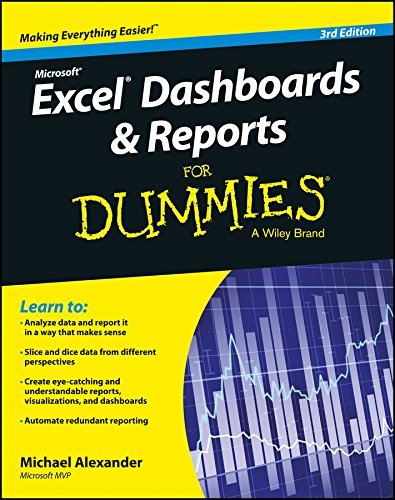
When you think of data, do you think of endless rows and columns in spreadsheets? Excel Dashboards and Reports For Dummies, 3rd Edition shows you how to make the most of your data—and puts an end to mind-numbing spreadsheets by exploring new ways to conceptualize and present key information. There's often a gap between handling data and synthesizing it into meaningful reports, and this approachable text bridges this gap with quick and accessible information that answers key questions, like how to meaningfully capture data trends, how to show relationships in data, and when it's better to show variances than actual data values.

As a leading spreadsheet application, Microsoft Excel is the go-to data software. This tool allows you to use dashboard reports that leverage gauges, maps, charts, sliders, and other visual elements to present complex data in a manner that's easy to understand. Using Excel dashboards effectively can improve your professional capabilities by leaps and bounds.

Analyze and report on large amounts of data in a meaningful way Look at data from different perspectives, and better visualize the information you're presenting by quickly slicing data on the fly Automate redundant reporting and analysis functions, making your data analysis and reporting routine more efficient Create visualizations, dashboards, and what-if analyses that are as visually appealing as they are substantial

Excel Dashboards and Reports For Dummies, 3rd Edition is a fantastic resource if you're looking to spice up your reporting!

524 pages, Kindle Edition

First published January 1, 2014

47 people are currently reading
51 people want to read

About the author

Michael Alexander

86 books9 followers
This is "Michael^^^^Alexander", author of computer-related books

Ratings & Reviews

What do you think?
Rate this book

Friends & Following

Create a free account to discover what your friends think of this book!

Community Reviews

5 stars
19 (33%)
4 stars
19 (33%)
3 stars
13 (23%)
2 stars
2 (3%)
1 star
3 (5%)
Displaying 1 - 5 of 5 reviews
Profile Image for Ben.
2,737 reviews233 followers
May 19, 2023
Dashboard THIS!

This comprehensive guide is a game-changer for anyone looking to create advanced dashboards and reports using Excel.

As someone who relies on Excel extensively in their work, I found this book to be an invaluable resource. It provided me with a wealth of knowledge and practical techniques that have greatly enhanced my ability to analyze and present data effectively.

Whether you're a business professional, analyst, or Excel enthusiast, this book will undoubtedly prove to be a powerful tool in your arsenal.

What sets Excel Dashboards & Reports for Dummies apart is its emphasis on step-by-step guides. Alexander's approach is clear, concise, and easy to follow. He takes complex concepts and breaks them down into manageable, bite-sized pieces, ensuring that readers can grasp and apply the techniques with ease.

Alexander's expertise in Excel shines through in his writing. Whether you're a beginner or a seasoned Excel user, you'll find valuable tips and tricks to enhance your proficiency.

While the book covers a wide range of topics, it may not delve into advanced Excel functionalities in great detail. However, it provides a solid foundation for building effective dashboards and reports, which can be further expanded upon with additional resources.

In summary, Excel Dashboards & Reports for Dummies is a must-have guide for anyone seeking to create professional and impactful dashboards and reports using Excel. With its practical approach, step-by-step guides, and Michael Alexander's expertise, this book is an invaluable resource for enhancing your Excel skills and making a significant impact in your business or professional endeavors.

4.0/5
8 reviews
May 5, 2024
This book is a good foundation for developing dashboards and reports. It covers the basics of charting, pivot tables and PowerQuery. Strangely enough, it does not give examples of dashboards nor instruct you in how to pull the vari0us elements together. This is an odd omission and why I cannot recommend it.
97 reviews
January 4, 2020
Covered a lot of the areas I wanted to develop my skills in. Made me more of an Excel nerd than before!
Displaying 1 - 5 of 5 reviews

Can't find what you're looking for?

Get help and learn more about the design.