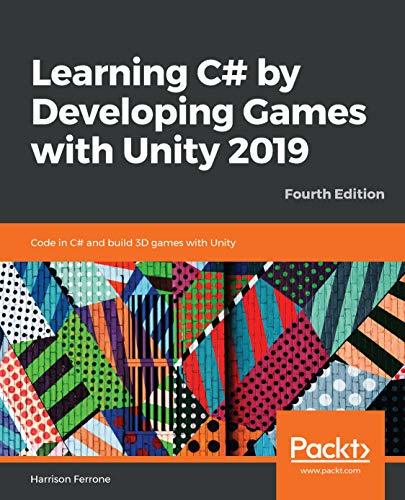
I’ll begin with a bit of background. I have done some short courses on game design using Python and Java, and I have a book by the same publishing company on designing Android games using Java. I also did a short online course on game design using Unity and C# before I bought this book. However, I am very far from being proficient, never mind an expert.
I must admit it took me several months to finish this book, but that was because there were long periods where I was preoccupied with work and other issues. I found that when I sat down with the book and with my Unity engine and Windows Visual it was surprisingly easy to follow and I made good progress. As you work through the book, you create a simple adventure game, so the theory is put into practice immediately. The author explains complex concepts very clearly and then illustrates them with chunks of code, which he then explains line by line. He also covers the mechanics of the Unity engine very well, so you get plenty of practice designing a game landscape and very simple characters. One thing he doesn’t cover – that was covered in the online course I did – is how you can import assets from a Unity store or other sources (many of them free) such as fully formed characters and items such as rucksacks, clothes etc. so you don’t need to design them yourself. So, in this game the characters are essentially shape like my fish oil capsules, but they move around and fire things and collect things.
To use this book, you need to download the Unity engine, which is free and is frequently updated. Once you have that on your device you can build games without any code and you can import assets from various sources. You can design 2D or 3D games. However, without any code, your game can only be very simple. To develop a sophisticated game, you will need to use code and C# is the main programming language for Unity. To write your code you will need to download Windows Visual Studio. I could get this for free as I have a Windows 365 subscription but you might have to buy a licence if you don’t have that subscription. If you’ve used other code writing tools like Android Studio or Apache Netbeans, you’ll soon get the hang of Visual Studio. If not, I suggest you take some time to familiarise yourself with it. Once you start writing out the code provided in this book, you’ll soon get the hang of it. Please note that you can download free supporting materials for this book. Those materials include the complete scripts for the game. This means you can cheat and just copy and paste the author’s code into Visual Studio. I would advise against that. I suggest you write out the code yourself and then use the scripts to find out what’s gone wrong if you get an error message. Like other code writing tools Visual Studio will show you where you’ve made an error and may suggest a remedy, but note that the suggested remedies are not always correct. Most remedies come from missing a “;” at the end of a line or using upper or lower case letters when you should use the opposite. Missing out curly brackets is my biggest downfall and can often lead to about 20 error messages. These will all disappear when you get your curly brackets right.
Throughout the book the author makes frequent reference to additional information you can find in the Unity user manual and other sources. He also points out that there is a vast community of developers out there on GitHub and StackOverflow who are always willing to help other struggling with a coding problem or with the Unity engine itself. At the end of the book he lists several areas of C# coding that are not covered in the book. He also gives advice on next steps, including getting Unity certifications if you want to become a professional game designer.
I would recommend this book to anyone who wants to learn C# or Unity game design or both. If you have little or no experience of programming or game design, don’t worry. The author does a great job of guiding even someone as clueless as me.