

What do you think?
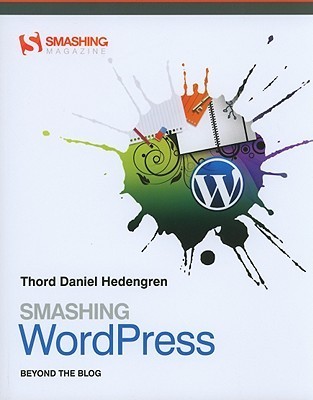
Smashing WordPress: Beyond the Blog
GO BEYOND THE BLOG Smashing WordPress shows you how to utilize the power of the WordPress platform, and provides a creative spark to help you build WordPress-powered sites that go beyond the obvious. You will learn the core concepts used to build just about anything in WordPress, resulting in fast deployments and greater design flexibility. Inside, WordPress expert Thord Daniel Hedengren takes you beyond the blog and shows you how WordPress can serve as a CMS, a photo gallery, an e-commerce site, and more. YOU WILL
322 pages, Paperback
First published January 1, 2010
Ratings & Reviews
Friends & Following
Create a free account to discover what your friends think of this book!
Community Reviews
Displaying 1 - 23 of 23 reviews

September 23, 2010
This book is mostly a how-to guide for creating WordPress themes and plugins, and generally bending WordPress to your will.
The book is laid out well, with colored blocks of code interspersed with the text describing it. It could have used more screenshots and diagrams to demonstrate what the code snippets were doing.
I read the first edition in 2010, then read the second (2011) edition in 2013. By that time the second edition was somewhat dated, but still contained some good info. Below are my notes.
Localization
Wrap code in __() within PHP code, and in _e() pretty much anywhere. __() is a return statement, and _e() is an echo statement. To use these, pass the text/code first, then the textdomain. For example, where notesblog is the textdomain, use
<?php _e('This text can be localized, mate!', 'notesblog'); ?>
Anatomy of a WordPress Plugin
• You can remove actions and filters with remove_action() and remove_filter(). These can be used for third-party hooks ore core hooks.
• You can use pluggable functions to overwrite core functionality, but do so with caution.
• Store small amounts of plugin data and theme options data in wp_options. Don't store too much data there; put larger amounts in its own table.
• Plugins should include an uninstall.php that uses delete_option() to clean up the database.
Plugins or functions.php?
For minor changes, use template files. For functionality unique to the theme, use functions.php. For all else, use plugins.
WordPress security
• Remove add_action('wp_head', 'wp_generator'); from header.php.
• Use an editor account to post.
• Force SSL encryption on the WordPress admin login page.
Plugins
Content
Yet Another Related Posts Plugin
Media
• Lightbox Gallery
• jQuery Lightbox
Administrative
• No Self Pings
• WB-DB-Backup
• Fast Secure Contact Form
• Google Analyticator or Google Analytics for WordPress
• Broken Link Checker
• Redirection
• Custom Post Type UI
• Revision Control
• Widget Context
Comment management
• Really Simple CAPTCHA
• IntenseDebate Comments or Disqus Comment System
Social networking
• ShareThis or AddToAny
• Sociable
Subscription
Align RSS Images
Code and output
• Widget Logic
• WP-DBManager
• WP-PageNavi
The book is laid out well, with colored blocks of code interspersed with the text describing it. It could have used more screenshots and diagrams to demonstrate what the code snippets were doing.
I read the first edition in 2010, then read the second (2011) edition in 2013. By that time the second edition was somewhat dated, but still contained some good info. Below are my notes.
Localization
Wrap code in __() within PHP code, and in _e() pretty much anywhere. __() is a return statement, and _e() is an echo statement. To use these, pass the text/code first, then the textdomain. For example, where notesblog is the textdomain, use
<?php _e('This text can be localized, mate!', 'notesblog'); ?>
Anatomy of a WordPress Plugin
• You can remove actions and filters with remove_action() and remove_filter(). These can be used for third-party hooks ore core hooks.
• You can use pluggable functions to overwrite core functionality, but do so with caution.
• Store small amounts of plugin data and theme options data in wp_options. Don't store too much data there; put larger amounts in its own table.
• Plugins should include an uninstall.php that uses delete_option() to clean up the database.
Plugins or functions.php?
For minor changes, use template files. For functionality unique to the theme, use functions.php. For all else, use plugins.
WordPress security
• Remove add_action('wp_head', 'wp_generator'); from header.php.
• Use an editor account to post.
• Force SSL encryption on the WordPress admin login page.
Plugins
Content
Yet Another Related Posts Plugin
Media
• Lightbox Gallery
• jQuery Lightbox
Administrative
• No Self Pings
• WB-DB-Backup
• Fast Secure Contact Form
• Google Analyticator or Google Analytics for WordPress
• Broken Link Checker
• Redirection
• Custom Post Type UI
• Revision Control
• Widget Context
Comment management
• Really Simple CAPTCHA
• IntenseDebate Comments or Disqus Comment System
Social networking
• ShareThis or AddToAny
• Sociable
Subscription
Align RSS Images
Code and output
• Widget Logic
• WP-DBManager
• WP-PageNavi

May 22, 2012
Excellent book on Wordpress. Very technical, with tons of code and more advanced examples than what seems to be the standard technical book fare. Theming tutorials I've read in the past didn't go into such detail; I also learned about a few more obscure ways to use Wordpress. Great resource for someone who's into Wordpress coding, but may be too dry for others.
April 24, 2024
Engaging book, packed with interesting content. It was quite easy to get through. I utilized it while designing the website https://tshot.ru
July 2, 2016
This book is for the experienced WordPress designer, not the beginner. Although it does touch on some WordPress essentials, it's mostly a how-to guide for creating WordPress themes and plugins, and generally bending WordPress to your will.
The book is laid out well, with colored blocks of code interspersed with the text describing it. There are very few screenshots and diagrams; more of these would have definitely helped me better understand what the code snippets were actually doing.
Notes
WordPress security
Add Secret Keys to wp-config.php
Remove add_action('wp_head', 'wp_generator'); from header.php
Create a new user with admin privileges and delete the default admin
Use an editor account to post
Force SSL encryption on the WordPress admin login page
Design and development
Put functions in functions.php rather than modifying template files to make your changes theme-independent.
Use plugins for everything that extends WordPress functionality. Use plugins instead of custom code whenever possible.
Use functions.php for functionality unique to the theme
Use Pages to work outside WordPress, for external services, feeds, etc.
Use categories for broad sorting, like Music or Books, and use tags like search keywords (author, genre, title)
Use TDO Mini Forms to let users submit posts without logging into the admin panel
External code can slow your site; only include it when necessary
Put social bookmarking links between content and comments
Use Facebook Connect or OpenID for unified logins
Feeds
Promote feeds with links and RSS graphics
Provide full posts in feeds, not just excerpts
Offer alternative subscription methods, such as email
Use FeedBurner
SEO
Use tags
Generate a sitemap with Google XML Sitemap Generator
Link to related posts (use a plugin to generate)
Use breadcrumbs; see the Yoast Breadcrumbs plugin
Portfolio
1. Your work show graphically (not just links)
2. Sell yourself; services offered, who you are, what you're like to work with
3. Easy way to contact you
Add a blog to bring traffic to your portfolio
Plugins
Content
WP Greet Box
Yet Another Related Posts Plugin
Administrative
No Self Pings
WB-DB-Backup
Contact Form 7
TDO Mini Forms
Google Analyticator or Google Analytics for WordPress
Redirection
TinyMCE Advanced
Comment management
Really Simple CAPTCHA
IntenseDebate Comments or Disqus Comment System
Social networking
ShareThis or AddToAny
Sociable
Subscription
Align RSS Images
SEO
All in One SEO Pack
Google XML Sitemaps
WP Super Cache
Yoast Breadcrumbs
The book is laid out well, with colored blocks of code interspersed with the text describing it. There are very few screenshots and diagrams; more of these would have definitely helped me better understand what the code snippets were actually doing.
Notes
WordPress security
Add Secret Keys to wp-config.php
Remove add_action('wp_head', 'wp_generator'); from header.php
Create a new user with admin privileges and delete the default admin
Use an editor account to post
Force SSL encryption on the WordPress admin login page
Design and development
Put functions in functions.php rather than modifying template files to make your changes theme-independent.
Use plugins for everything that extends WordPress functionality. Use plugins instead of custom code whenever possible.
Use functions.php for functionality unique to the theme
Use Pages to work outside WordPress, for external services, feeds, etc.
Use categories for broad sorting, like Music or Books, and use tags like search keywords (author, genre, title)
Use TDO Mini Forms to let users submit posts without logging into the admin panel
External code can slow your site; only include it when necessary
Put social bookmarking links between content and comments
Use Facebook Connect or OpenID for unified logins
Feeds
Promote feeds with links and RSS graphics
Provide full posts in feeds, not just excerpts
Offer alternative subscription methods, such as email
Use FeedBurner
SEO
Use tags
Generate a sitemap with Google XML Sitemap Generator
Link to related posts (use a plugin to generate)
Use breadcrumbs; see the Yoast Breadcrumbs plugin
Portfolio
1. Your work show graphically (not just links)
2. Sell yourself; services offered, who you are, what you're like to work with
3. Easy way to contact you
Add a blog to bring traffic to your portfolio
Plugins
Content
WP Greet Box
Yet Another Related Posts Plugin
Administrative
No Self Pings
WB-DB-Backup
Contact Form 7
TDO Mini Forms
Google Analyticator or Google Analytics for WordPress
Redirection
TinyMCE Advanced
Comment management
Really Simple CAPTCHA
IntenseDebate Comments or Disqus Comment System
Social networking
ShareThis or AddToAny
Sociable
Subscription
Align RSS Images
SEO
All in One SEO Pack
Google XML Sitemaps
WP Super Cache
Yoast Breadcrumbs

July 26, 2014
I switched from Blogger to WordPress in 2006/2007. I wish that this book would have been around then, as I would have loved to have been able to tweak my blog on my own. As it was, I ended up hiring someone to create a theme for me, which wasn't cheap, and it was a disaster as I couldn't then make any updates on my own. This book would have helped me to close those gaps and allowed me to create the look I wanted to achieve.
This book makes me want to go back to WordPress and try my hand at creating a great space again, though right now I'm delving into Squarespace and learning about that.
Highly recommend.
© Angela Risner 2014. Unauthorized use and/or duplication of this material without express and written permission from Goodreads or Angela Risner is strictly prohibited. Excerpts and links may be used, provided that full and clear credit is given to Angela Risner with appropriate and specific direction to the original content.
This book makes me want to go back to WordPress and try my hand at creating a great space again, though right now I'm delving into Squarespace and learning about that.
Highly recommend.
© Angela Risner 2014. Unauthorized use and/or duplication of this material without express and written permission from Goodreads or Angela Risner is strictly prohibited. Excerpts and links may be used, provided that full and clear credit is given to Angela Risner with appropriate and specific direction to the original content.
July 2, 2016
This is a useful guide for intermediate to advanced WordPress developers. It covers theme development, plugin development, and customizing sites for various uses. It has clear examples, code snippets, and color screenshots.
Notes
Drop-in plugins overwrite core functionality. Example: advanced-cache.php.
Use plugins rather than functions.php in most cases. Only use functions.php for functionality that’s unique to theme (such as layout settings or theme options). Don’t use functions.php for anything that controls output of content.
The Members plugin comes with a role editor, ability to hide parts of admin UI, and can help build a membership site.
The Simple Lightbox plugin is a good for most lightbox purposes.
The PrintFriendly plugin makes pages print-friendly.
Notes
Drop-in plugins overwrite core functionality. Example: advanced-cache.php.
Use plugins rather than functions.php in most cases. Only use functions.php for functionality that’s unique to theme (such as layout settings or theme options). Don’t use functions.php for anything that controls output of content.
The Members plugin comes with a role editor, ability to hide parts of admin UI, and can help build a membership site.
The Simple Lightbox plugin is a good for most lightbox purposes.
The PrintFriendly plugin makes pages print-friendly.

September 18, 2011
Between the welter of Idiots, Dummies and Beginners guides, and the few reference books (or Bibles) it's hard to find something for those who want to know more than the basics. This could have been it for WordPress but, having struggled past Part II, I reluctantly have to say it's a mess. Ideas and concepts are strung throughout the text and I've spent more time referring back than actually reading forward. It doesn't help that raw wodges of code are repeated and you have to extract the point of them from their detail. It also didn't help that what looked like text markup language escaped into the printed version.
But I'm an programmer (and you'd need to be to get through this) and I've persisted to the end. The 25 quid did point me in the right direction to fix one bug on my blog, so... worth it for that alone.
But I'm an programmer (and you'd need to be to get through this) and I've persisted to the end. The 25 quid did point me in the right direction to fix one bug on my blog, so... worth it for that alone.

August 31, 2014
It feels as if English isn't the author's first language. The grammar and spelling is technically correct and obviously intelligent and informed, but the feel of it seems "off" somehow, and it makes this subtly less readable. English isn't just about rules of grammar, it's about a customary way of using it.
I find that if I read the words in a Swedish accent in my head, it actually helps my comprehension.
I find that if I read the words in a Swedish accent in my head, it actually helps my comprehension.

September 12, 2011
I am setting up a custom theme for Wordpress and this book, along with his one on themes, really helped me understand it better than many of the online resources I have been using. I am heavily weighted towards the design side of things in terms of website development and this book helped by giving me a more visual way of learning the ins and outs of Wordpress themes and Wordpress structure.

February 25, 2012
For the geek inside of me... the book, the method, the explanations, the raison d´etre, it was ok. Technically, correct.
With lots of data, examples, and some hacks or tricks (choose the word that you like it) to rule this CMS.
Smashing Magazine does it again... in my humble opinion.
A healthy habit...
With lots of data, examples, and some hacks or tricks (choose the word that you like it) to rule this CMS.
Smashing Magazine does it again... in my humble opinion.
A healthy habit...

August 5, 2013
There seems to be some typos or mistakes in the code examples of this Kindle edition.
This didn't really become evident to me until I began working with the actual code exercises in chapters 4 & 5.
While I like Mr. Hedengren's writing style, I feel as if I'd wasted a bit of time with the book.
I would like to see more rigorous technical editing in the forthcoming 4th edition.
This didn't really become evident to me until I began working with the actual code exercises in chapters 4 & 5.
While I like Mr. Hedengren's writing style, I feel as if I'd wasted a bit of time with the book.
I would like to see more rigorous technical editing in the forthcoming 4th edition.

June 9, 2010
Terrific book that really breaks down WordPress and just how useful a content management system it is. Covers basics to advanced, plugins, theme creation. Very well written, easy conversational style. Beautifully done. A must for any WordPress enthusiast.

June 29, 2013
Useful as a reference. I found some good information/tips and helpful explanations. If the WordPress codex explanations start making my head tired, I'll consult this for a simplified explanation. Have encountered some outdated info.
August 20, 2013
Must-read to learn the nuts and bolts of the wordpress framework plus provides the basics of how to extend and use wordpress not just for blogging but as the cms of choice for small to medium websites.

Currently Reading
February 16, 2011a Good reference
March 28, 2011
Most of this information is available with a Google search. That being said, there are a few snippets which were useful. This is a great start for anyone wanting to learn WordPress templating.
December 16, 2012
Very good Wordpress instruction book. Liked it so much I bought a copy for my reference shelf.

January 17, 2013
Good book, for advanced wordpress maniacs, but for newbie it needs alot of learning about Wp- structure

January 17, 2013
Pretty good, covered much of what I was looking for, which were some fundamentals but also more intermediate questions.
The more I read the more I learn.
The more I read the more I learn.

May 14, 2016
Good, as far as it goes. Well organized and easy to follow. This is for the first baby steps of coding WP, beyond just downloading and installing it.

April 24, 2011
I've read through a LOT of books about wordpress, and this one is by far the best.

March 30, 2013
Great introduction to "the loop" for any WordPress developers out there.
Displaying 1 - 23 of 23 reviews