
Spreadsheet Central discussion
Questions about Spreadsheets
>
Questions about M/M Spell spreadsheets
date newest »
newest »
message 1:
by
Kelly (Maybedog)
(new)
Jan 27, 2026 12:10AM
 Mod
Mod
reply
|
flag
 How does the spreadsheet in post https://www.goodreads.com/topic/show/... (5) differ from the spreadsheet it's based off of, the one in post 8? I'm glad you asked!
*Moved the word entry point to the 'Summary' tab.
*Moved the completion post to column F
*Added an 'Instructions' tab.
*Added article handling for Series name
*Some bug fixes
*More bug fixes of bugs I introduced
*Additional information in the completion post
*Tried to make updating easier before things get started.
*No longer have to manually make the words appear for additional iterations. Up to 7 works without team captain intervention.
Mod
Mod
Column BE could be used to label the rows. we could put an arrow to make it clear i.e., "Possible ➜" and "Completed ➜" . we don't really need to say "week 4" there as it's a given.
Kelly, I do think that would be possible, but difficult. I'd have to think for a bit about how I'd do that. We don't need to say week 4 there, but I do need the 4 somewhere on the sheet for functionality (I use it in cell BF2). I put it there because it's functionality to create the letters, so it makes sense right next to where it's used, but it could easily be somewhere else.
Let me think about it some more. I think I could do it relatively straightforward with a sumproduct...
Mod
Here's another request that should be easy: Could we put the completion post number before the completion post itself? I know it's not necessarily the most logical but when the completion post is filled out but the post number isn't, it's hard to see where the column is to enter the post number. Am I making sense?
I set Text Wrapping to Clip. Let's see if that works before reordering the columns.
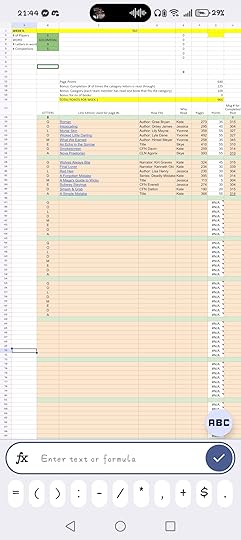
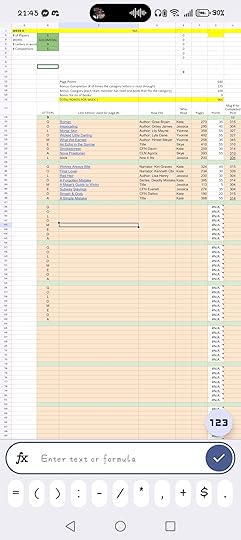
 Out of interest, are you able to see open this link and see them clearer?
https://imgchest.com/p/9249lm9pm4n
I can enter the points myself so I will just do that for now and Lisa can double check they are correct and I'm not cheating :)
Mod
Mod
I have a question about it. On the Round X sheet what do J3:J8 do?
Mod
Yes, the template is https://docs.google.com/spreadsheets/...It does use scripting for creating the books and round sheets. The idea is to create a copy, run the script, and have a pretty sheet that can be used for next year. Since running the script might not be possible, I could also have a copy with the script already run, but I figure closer to the start of the challenge would be better.
J3:J8 are counting the number of end posts that are seen in a certain range. The G3 reference is how many letter are in the word. The I3 reference (or I4...) gives how far down the column to go. So basically, what it's saying is "count the cells in this range if the number is bigger than 2" and I'm giving it a range that corresponds to where an copy of the word will land (except that on Round 6 I haven't changed it to take into consideration that I added a space... I'll go do that now). Getting that range right without off by one errors was not the easiest thing.
Mod
Off by one errors.This week we have an 8 letter word. So, before adding the space, the first copy of the word had the end posts in E12:E19, the second copy in E20:E27, the third in E28:E35 and so on. Now we've added the space, so the first copy is still in E12:E19, but E20 is always blank, and the second copy is in E21:E28, then the third is in E30:E37, and so on. Leaving the formula as it was, the second copy was always looking at E20:E27, which didn't work, since E20 was blank. So I had to change the formula to take that into consideration, which I forgot to do. It's fixed now.
Now, the start of the range looks like this: ROW($E$11)+(I3-1)*($G$3+1)+1
G3 is the cell containing the word length. We add one due to the space. The reference to column I (I3 in this case) determines the iteration number. Row(E11) is where to start counting. For I3=1, this becomes 11+(1-1)*(8+1)+1=12. For I3=2, it becomes 21. The end formula is similar.
Please let me know if this helps! I've made the formulas pretty abstract. I understand that each layer of abstraction makes them more difficult to understand.
Mod
Mod
I was thinking that F:29 could be enlarged to say, "Round x ends, Round y begins." You'd have to add another column that says when round 1 begins but I kind of like that since the sheet is available to the team before the first round begins. So a countdown timer would be cool.
what do you think?
I hadn't really noticed that there was nowhere for the Round 1 start timer. That's good attention to detail! The easiest thing is to make them round start timers instead of round end timers, and add the final end timer in the totals columns. Otherwise, there's nowhere to put it.

