Jake Rhodes's Blog
March 5, 2023
Useful Tools You May Not Know Canva Has
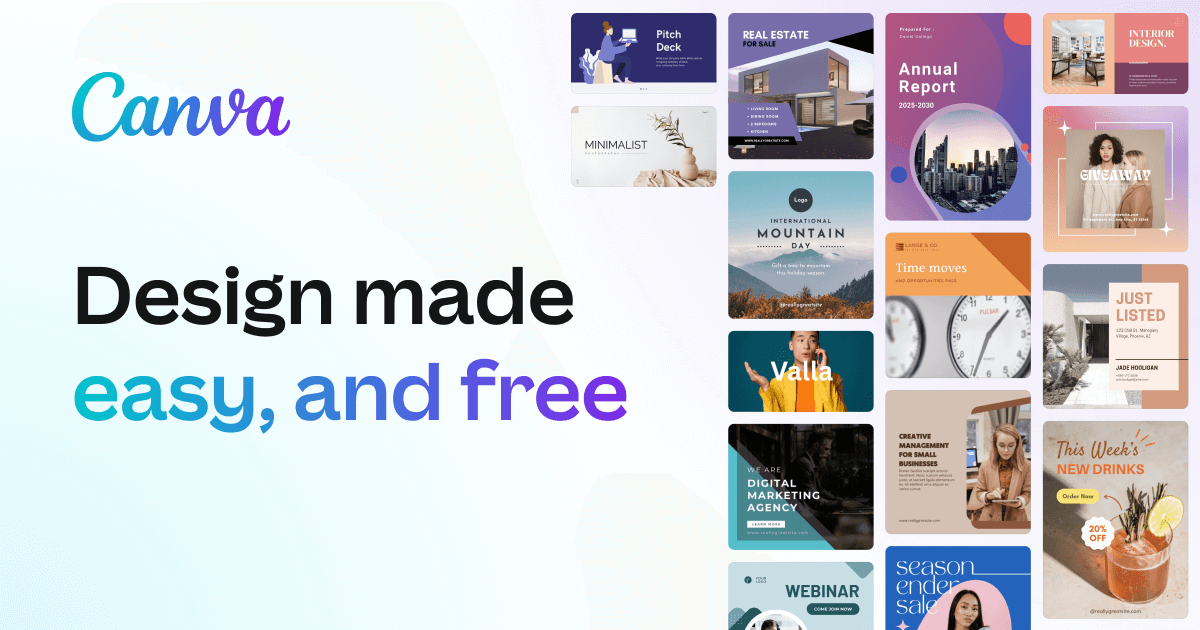
Canva's Apps Panel: A Comprehensive Guide
If you're a Canva user, you might be familiar with the platform's powerful design tools and vast library of templates and design elements. But did you know that Canva also has a built-in Apps Panel that can help you take your designs to the next level? In this article, we'll take a closer look at Canva's Apps Panel and explore some of its key features and benefits.
What is Canva's Apps Panel?
Canva's Apps Panel is a collection of third-party integrations that allow you to connect your Canva account with other apps and services. With the Apps Panel, you can import content from other platforms, access new design tools and features, and streamline your workflow. The Apps Panel is accessible from within the Canva editor, and can be found on the left-hand side of the screen.
What are the Benefits of Using the Apps Panel?
The Apps Panel offers several benefits to Canva users, including:
Access to new design tools and features By connecting your Canva account with other apps and services, you can unlock new design tools and features that aren't available within the Canva editor. For example, you can use the Unsplash app to search for high-quality stock photos, or the Giphy app to add animated GIFs to your designs.
Seamless integration with other platforms The Apps Panel makes it easy to import content from other platforms and incorporate it into your designs. For example, you can use the Dropbox app to access your files and folders, or the Google Drive app to import documents and images.
Streamlined workflow By integrating your Canva account with other apps and services, you can streamline your workflow and save time. For example, you can use the Hubspot app to create social media posts and ads directly from within the Canva editor, or the Hootsuite app to schedule your social media posts.
What are Some Popular Apps in Canva's Apps Panel?
Canva's Apps Panel offers a wide range of integrations with popular apps and services. Here are some of the most popular apps in the Apps Panel:
Unsplash Unsplash is a popular platform for high-quality, royalty-free stock photos. With the Unsplash app, you can search for and import photos directly into your Canva designs.
Dropbox Dropbox is a cloud-based storage platform that allows you to access your files and folders from anywhere. With the Dropbox app, you can import files and images from your Dropbox account into your Canva designs.
Google Drive Google Drive is a cloud-based storage platform that allows you to store and share files and documents. With the Google Drive app, you can import files and documents from your Google Drive account into your Canva designs.
Giphy Giphy is a popular platform for animated GIFs. With the Giphy app, you can search for and add animated GIFs to your Canva designs.
Hubspot Hubspot is a marketing automation platform that allows you to create and manage social media posts and ads. With the Hubspot app, you can create social media posts and ads directly from within the Canva editor.
Conclusion
Canva's Apps Panel is a powerful tool that can help you take your designs to the next level. By connecting your Canva account with other apps and services, you can unlock new design tools and features, import content from other platforms, and streamline your workflow. If you're a Canva user, be sure to check out the Apps Panel and explore some of the integrations available.
(adsbygoogle = window.adsbygoogle || []).push({});

Best Places To Take Pictures In Columbus Georgia

Columbus, Georgia is a hidden gem in the southeastern United States. It's a city full of charm, history, and stunning natural landscapes that make it a perfect destination for photography enthusiasts. From picturesque riverfront views to breathtaking architecture, Columbus is home to numerous photography hotspots.
Here are some of the best places to take pictures in Columbus, Georgia:
The Chattahoochee Riverwalk
The Chattahoochee Riverwalk is a picturesque 22-mile stretch that runs along the Chattahoochee River. The Riverwalk is a perfect destination for photography enthusiasts, offering stunning views of the river, wildlife, and the city skyline. The Riverwalk is particularly popular at sunrise and sunset when the light is perfect for capturing the natural beauty of the river. The Riverwalk also has several bridges that make for great photo opportunities.
The National Infantry Museum
The National Infantry Museum is a unique destination for photography enthusiasts. The museum is dedicated to the history of the United States Army Infantry, and it's home to an extensive collection of artifacts and exhibits. The museum's exterior is also impressive, with a stunning facade that features a large American flag and a striking soldier sculpture. The museum's outdoor exhibits, including tanks and helicopters, are also great subjects for photography.
The Columbus Historic District
The Columbus Historic District is a charming neighborhood that offers an excellent opportunity for photographers to capture the city's history and architecture. The district features beautifully preserved homes, buildings, and churches that date back to the 1800s. The district is also home to several picturesque parks, including the Springer Opera House Park, which features a beautiful fountain and outdoor stage.
The Coca-Cola Space Science Center
The Coca-Cola Space Science Center is a unique destination that offers a great opportunity for photographers. The center is home to an observatory and planetarium and features exhibits on space exploration and astronomy. The center's modern architecture, including a large dome structure, is also great for capturing unique angles and perspectives.
The Oxbow Meadows Environmental Learning Center
The Oxbow Meadows Environmental Learning Center is a beautiful location for nature photography. The center is home to several nature trails, boardwalks, and a lake, offering photographers the chance to capture stunning landscapes, wildlife, and plants. The center also hosts several events throughout the year, including butterfly releases, which offer unique photography opportunities.
Columbus Botanical Garden
Columbus Botanical Garden is a 22-acre public garden that offers a beautiful backdrop for photography. The garden features several themed areas, including a Japanese garden, a rose garden, and a vegetable garden. The garden also hosts several events throughout the year, including art shows and plant sales, which provide unique photography opportunities.
The Dillingham Street Bridge
The Dillingham Street Bridge is a historic bridge that spans the Chattahoochee River, connecting Georgia and Alabama. The bridge was built in 1912 and offers a unique backdrop for photography. The bridge's architecture and the views of the river and the surrounding area make it a popular spot for photographers. The bridge is particularly stunning at sunset, with the warm colors of the sky reflecting off the water.
The Columbus Iron Works and Trade Center
The Columbus Iron Works and Trade Center is a historic site that dates back to the 1800s. The site was originally a manufacturing facility for steam engines, and it has been converted into a mixed-use development that includes restaurants, shops, and offices. The site's industrial architecture, including brick buildings, smokestacks, and railroad tracks, offers a unique and interesting backdrop for photography.
Lake Oliver Marina
Lake Oliver Marina is a scenic spot for photography that offers stunning views of the lake and surrounding nature. The marina is a popular destination for boating, fishing, and water sports, and it features a boat ramp, picnic area, and playground. Photographers can capture beautiful shots of the lake, boats, and wildlife, including birds, turtles, and fish. The marina is particularly stunning at sunrise and sunset when the light is perfect for capturing the natural beauty of the lake.
In conclusion, Columbus, Georgia is a hidden gem for photography enthusiasts, offering a diverse range of stunning locations to capture the city's beauty. The spots I mentioned above are just a few of the best places to take pictures in the city. Whether you're a professional photographer or a hobbyist, Columbus, Georgia is a must-visit destination for anyone who loves to capture the beauty of the world through a camera lens.
(adsbygoogle = window.adsbygoogle || []).push({});
March 4, 2023
Samson Graphite M25 Mini USB MIDI Controller Review
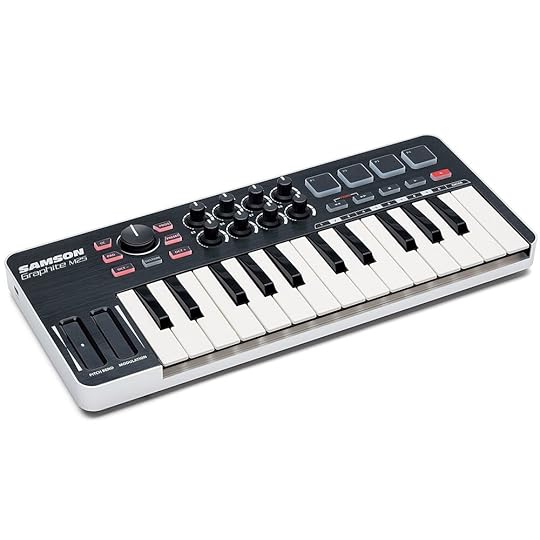 Hello there! Today, I wanted to share with you my experience using the Samson Graphite M25 MIDI Controller. As someone who loves music and creating my own beats, finding the right MIDI controller has been essential for my creative process. After using the Samson Graphite M25, I can honestly say that it is an great choice for anyone looking for a compact and efficient MIDI controller.
Firstly, the Samson Graphite M25 is incredibly compact, making it easy to take with you wherever you go. It's the perfect size to fit in your backpack, making it easy to transport to and from the studio. Despite its small size, the M25 still has all the essential features you need for creating music. It has 25 velocity-sensitive mini-keys for creating melodies and basslines. The keys feel great to play and respond well to different levels of pressure, allowing you to create dynamic and expressive performances.
***After having the keyboard for about 5 years now I have had 3 keys quit working on it however.***
In addition to the keys, the M25 also has four backlit drum pads that are perfect for triggering samples and loops. These pads are responsive and have a great feel to them, making them perfect for finger drumming. There are also four assignable knobs and four assignable buttons that you can use to control various parameters in your software of choice. These knobs and buttons are a great addition to the M25, giving you even more control over your music.
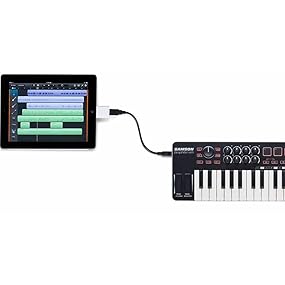
The M25 is also incredibly easy to set up and use. It's class-compliant, which means that it doesn't require any drivers to work with your computer. Simply plug it in, and you're ready to go. Depending on where you purchase the keyboard it can come with a range of software, including Ableton Live Lite and a collection of virtual instruments and effects from Sonivox. This software is a great starting point for anyone who does not already have a DAW.
Key Features 25-key velocity-sensitive mini keyboard Ultra-portable design, perfect for home studios and on-the-go applications Programmable master encoder, eight MIDI assignable knobs and transport controls for hands-on control over your DAW and virtual instruments Four velocity-sensitive trigger pads (two banks each) with aftertouch for drum sounds and samples Control Change mode sets trigger pads to send control change messages Program mode sends program change information Four customizable Preset options Dedicated Octave and Sustain buttons, Pitch Bend and Modulation strips Mini USB port iPad and USB bus powered Includes mini USB to USB cable
Overall, I'd say that the Samson Graphite M25 MIDI Controller hits the low end of middle of the road quality. It's compact, easy to use, and has all the essential features you need for creating music but does feel cheaply made. Whether you're a beginner or an experienced producer, the M25 is a great MIDI controller to add to your setup if you simply need something to control your DAW that doesn't take up a lot of space and has drum pads and keys.
September 22, 2022
How I Make Money on YouTube Without Showing My Face

Have you ever wondered how people make money on YouTube without showing their face? I did too until one day I realized channels on YouTube that create meditation music videos and nature sounds videos were able to get millions of subscribers. Yes, that's right millions. In fact most of the popular channels I researched in the meditation music and nature sounds niche had at least hundreds of thousands of subscribers. If you know anything about YouTube you know that those channels are making a full time income.
Since I have been creating music for years on my computer I knew instantly that all I would have to do is create some meditation songs which are very easy to create, and then put some video and pictures with them to create videos. Now I know the average person can not create music so I also want to tell you what I would have done even if I was not a musician. I will break down the steps so you see how my mind put this puzzle of easy to create videos together.
CHOOSING THE AUDIO
Since I already knew how to create music I knew all that I would have to do would be to create meditation songs with my DAW. There are many Free music programs out there like BandLab if you feel like you are musically inclined where you could potentially create your own meditation songs and it would not take that long to figure out how to do it. But if you do not know how to create music you can hire someone on Fiverr for $5 a song or you can get royalty free music from free music websites. I don't really like the free royalty free music websites because it is very hard to find a good collection of free meditation songs that don't want you to end up paying something. If you're willing to invest a little more money I would suggest for those who do not know how to create music to create a StoryBlocks account which is a website that you pay a membership for and you can download as much video, pictures, and audio that you want and need for your YouTube videos. The website was created for creators on YouTube so everything is safe to use. Their cheapest plan is $30 but that only gets you about 4 downloads a month. To really be able to take advantage of it you would need to opt-in to their $50 tier which gives you unlimited video, music, and picture downloads. I know this can be a lot of money but if you are serious about creating a YouTube channel that you can make a living from this is a good investment.
Once you know where and how to get your music the next thing to do is get some pictures and/or videos to put with the music to create videos.
WHERE TO GET VIDEOS
Like I mentioned above Storyblocks has video pictures and music for you to use in your videos. Potentially you can use Storyblocks for all of your music, pictures and your videos. But if you're trying to go the free route, one of the best places to get high quality pictures and videos that are absolutely guaranteed to be free of copyright and any issues is pexels.com. Pexels isn't just like any other free picture and video site. All of their assets are high quality and look great. I still can't believe the high quality videos you can get on that website and you do not have to pay a thing for them. What you want to do is get as many videos as you can on the topic of your channel. Since I have a meditation music channel I typed in meditation in the search bar on the pixels website and downloaded all the videos of people meditating that I could find. After i got my videos I created a master video with my music and all the video clips from pexels that I downloaded. If you are using storyblocks, use the videos and or pictures and audio that you get from there.
CREATING THE YOU TUBE VIDEOS
Now that you have your audio and your video clips or pictures you compile a video for YouTube. there are many free video editors that you can use, your computer or your phone/tablet might have even come with one. I make the majority of my videos on my phone and upload on the go. I tried to make the whole process as easy as possible so that it doesn't take up a lot of time and I can do other things as well. If you have an Apple device most of their computers come with a program called iMovie which is all you really need. The videos are very simple. All you do is put all your video clips one after another and add your song. Copy and paste the videos if they're not long enough for the song so that the video will end when the music does. If you use pictures just do it the same way you would do the video. Just put all the pictures one after another. The good thing about pictures is that you can stretch the time of them as long as you want them to show on the video so if you wanted to you could just have one single picture display for the whole entire video if you did not want to download multiple videos and pictures. However, I would download as many pictures and videos as you can because this makes the video more enticing and enjoyable to watch.
If you haven't already you will need to create a channel/account to upload your videos to. I created a brand new channel for my meditation music. Since I've been creating a song in about 5 minutes I tried to upload every single day. My strategy when it comes to creating multiple videos per day is that I create a 1 hour long song first. I then create a video for it, then I take the 1 hour video and chop it down into a 45-minute video, a 30-minute video, a 20-minute video, a 15-minute video, a 10 minute video, and a 5 minute video. This gets me 7 videos. One for each day of the week if I want. Since I can create multiple songs in a day and the videos are very easy to create, I try to create 7 videos a day. This will help to explode your channel as soon as you start.
SETTING UP THE CHANNEL FOR SUCCESS
I spent time setting up my YouTube channel to look as professional as I could. I used Canva.com to create all my images for YouTube like the header and profile picture. I also use Canva to create all my thumbnails for my videos. If you don't have a Canva account it's free to create one. After you have your YouTube channel setup you are ready to start uploading all of your videos that you have created. If you are new to YouTube and creating videos, watch some videos explaining how to create a video with a good title, keywords, description, and tags so that you can get the most out of your SEO as you can.
HOW THINGS ARE GOING
Since starting the YouTube channel I have been growing about 150 subscribers a month and about 1.5k views a month. I have realized the more I upload, the more subscribers and watch time hours I end up getting over a 28 day average. Compared to other YouTube channels that I have started before I have never been able to grow a channel this fast in my past experience. I can easily see myself as one of the big channels one day with millions of subscribers based off of what I have seen over the past month. I have high expectations for this channel. I truly believe it will do very well. Nothing I have done is that groundbreaking or anything like that I think the average person could easily do what I am doing whether it be meditation music, rain sounds, nature sounds, ocean sounds, really any type of relaxing sound will do because people will always want to relax and that is why this is such a great strategy for our YouTube channel.
I will write another post after 6 months have passed to show how far I have been able to grow the channel. If you would like to check out my channel and see how I have created it and listen to my music please consider subscribing at Balanced Meditation.
(adsbygoogle = window.adsbygoogle || []).push({});
December 25, 2019
Merry Christmas

I just want to wish everyone a merry Christmas and a happy new year!
How I Started Using Moment Lenses For Smartphone Photography

Ever since I sold my DSLR Sony a300 with all the accessories and lenses that I had with it to pay the bills year ago, I feel like a part of has been missing in my life. After countless jobs to pay the bills and life getting in the way I completely lost touch with my love for photography. That is until a year ago.
I realized that I had not been doing the one thing I had always loved and that was taking photos and editing them. Not to mention people were paying me for my work. I was off to a great start and I simply cut the legs out from under myself. As a word of advice: never sell something you love just to pay your bills for a few months. You will regret it in the long run.
But this brings me to today. With this void in my life for photography I have been craving to get out into the world and take pictures and this is how the whole smartphone photography came into play.
With technology becoming so fast, you can get a nice camera that takes great pictures on today’s smartphones. Android and iPhone. When i first heard and saw people taking smartphone photography seriously I thought it was kind of dumb. But then I started seeing Youtubers vlogging with their phones and using the phone as their only camera. Sites all across the web have articles comparing an iPhone photo to photos from some of the nicest Canon and Sony SLR’s out there and that is were I realized I could not tell the difference in some of the pictures. That's amazing that you can get that type of quality out of a smartphone compared to a standard large body DSLR/SLR mirrorless camera.
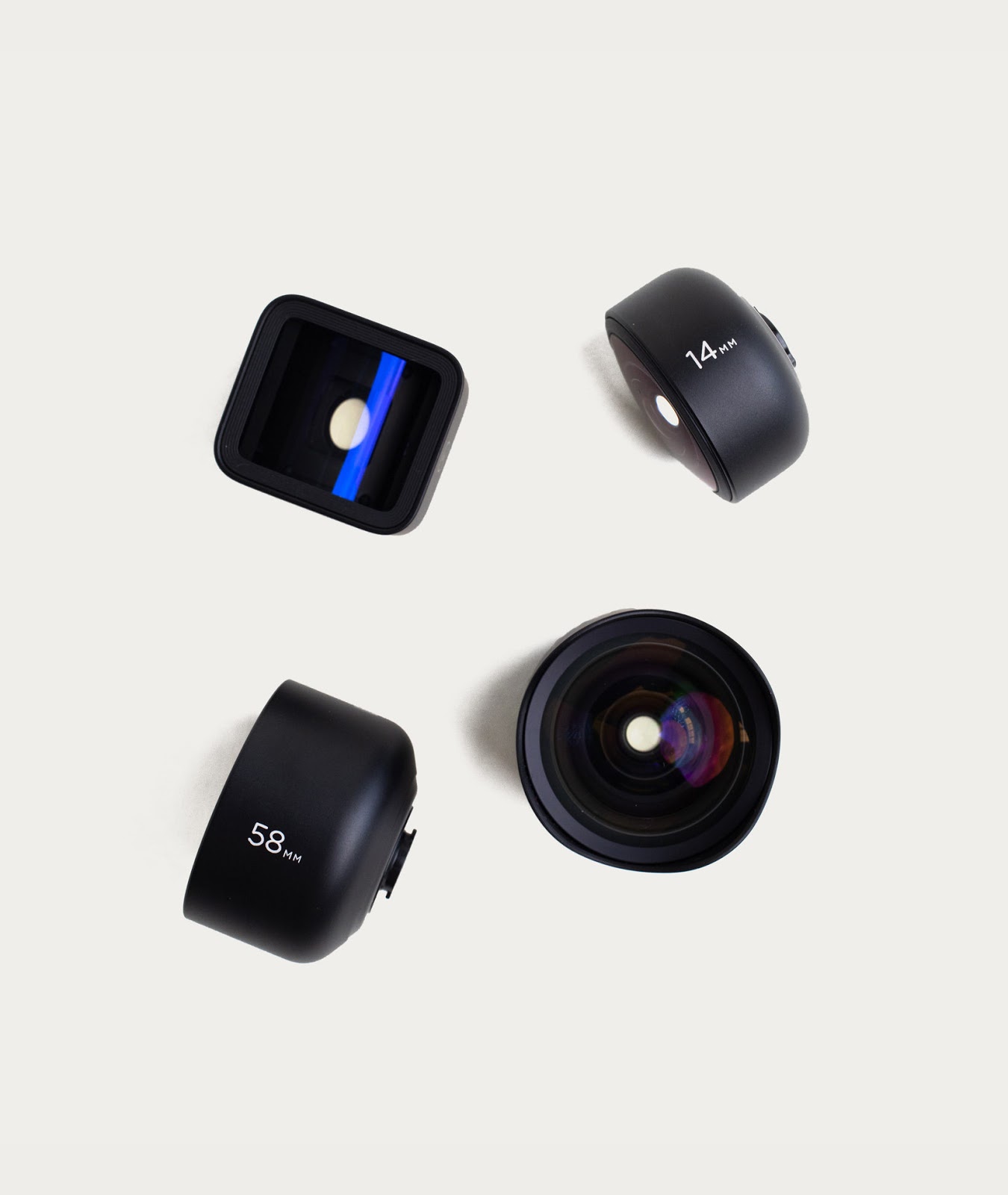
With the quality being on par with some of the expensive cameras this has caused manufacturers of accessories to come out of the woodwork with all types of add ons to your phone to make it more like a camera. I think we have all seen those little clip on “lenses” but most of those are just cheap pieces of plastic that don't do much for quality. But don’t get me wrong there are some nice high quality accessories you can add on to your smartphone and that is what I want to talk about.
About a year ago I started noticing a company called Moment that was creating lenses for smartphones like they would for DSLR cameras. The glass in the lenses were big and beefy and had a high quality weight and feel to them and you could just tell that these were like no other lenses for your smartphone.
They way they work is you have to buy a case for your phone, that's how they get you to spend more, and after that the lenses attach to the case sitting over your built in lens on the back of your camera. After seeing countless ads and videos for these lenses I decided to bet one and a case and I was amazed at the quality. At first I could not see a large increase in quality but when you start to zoom in and look at the quality of the pictures that the lenses produce you will see the difference. Depending on what type of lenses you want they have a variety to pick from like wide angle lenses to macro and even an anamorphic lens for video. I would say that Moment is the leader when it comes to taking smartphone photography and video seriously. Since they have been out for a while now they now offer much more than lenses. They have all types of ND filters, UV filters, microphones, cases, tripods, gimbals, and much more. They have just about any accessory you can think of when it comes to smartphone photography or videography and they even have their own app on iOS and Android to take pictures and videos with so that you can dial in the settings more professionally then your standard camera app that comes on your phone. In fact, you don't have to have their lenses if you want to use their app, it works completely stand alone if you want to just use a more professional camera app.
The world of photography is changing and Moment gets it, that's why I love this company. I now have the wide angle lens and the tele lens which is the two I recommend everyone starting out with if you are looking to take your smartphone pictures and videos to the next level. Not only that but the lenses have such a much larger size to them than the rinky dink plastic ones in the stores that most people will know you mean business when they see your lens attached to your phone. The craftsmanship and sleek elegance of the lenses show that you are not just your average person taking pictures with your phone. Which is also why most of all the lenses are around $100 and up along with most of the cases being anywhere from $36 to $46 dollars.
The whole reason I got into smartphone photography was because I sold my old DSLR and haven't had the money to buy a nice new mirrorless SLR yet, but this allowed me to experience the world of smartphone photography.
If you are like me and you really want to get into or back into photography but you just don't have the money yet for a nice mirrorless SLR the moment lenses are a great stepping stone for someone who wants to get their toes wet in photography.
If you are into smartphone photography I would love to know what gear you use and what your thoughts on the Moment lenses are. Leave a comment below.
April 9, 2019
One Month With The Samsung Galaxy S10 Plus

As one of the people who preordered the Galaxy s10 Plus you could say that I really wanted this phone. After toughing out the last few years with my Samsung galaxy s6 edge plus and watching everyone enjoy all these new features and almost bezel-less styled tall designed looking phones you could say I was starting to get a little jealous. Don't get me wrong though. The s6 edge plus was a dream come true the day I got it when it came out. It had 4k video capabilities and I had never seen a camera that good on a phone in my life, not to mention I could finally do slow motion which I had been wanting for some time. I thought I phone could not get any better as far as quality when I bought that one but boy was I wrong.
Not only did I want to preorder the phone because of my "new phone addiction" eating me up. I also wanted to grab a pair of those bad ass wireless galaxy ear buds that they were just giving away for free, I could not believe it. And with the new ability to wireless charge them on the back of the galaxy s10 plus I knew I just had to preorder to get them because lets face it. I am not going to take a chance on a pair of $130 dollar ear buds only to find out i don't like them. Also if I knew I was going to get the s10 plus I would have to be a idiot not to preorder it and get the free ear buds right?
My first impressions were probably at a good 7 out of 10 I would say. The screen just looked amazing, that was the first thing that stood out to me. With a near bezel-less design its impossible not to drool over the gorgeous image quality and full screen photos taking up the entire screen. Even with the little hole cut out in the top right I think it just makes it look even cooler and that is what is now setting all the new phones apart in the market. If you don't have a notch or a cut out at the top of your screen you are not one of the cool kids.
Another thing that I noticed is the sound quality and the volume this thing can reach. This has got to be one of the loudest phones I have ever used. I would love to see a decibel test compared to other phones to see where this thing lands on the scale. Even though the top speaker is the ear piece and the bottom speaker is on the bottom right of the device firing down, the overall sound seems to be a natural vibrant sound that can match some of the cheapest tiny blue tooth speakers I have seen out there... cough, cough, those shitty billboard speakers for 20 dollars at Staples, cough, cough.
I was able to remap the Bixby button right away with Samsung's own software in the phone through an app and connecting it to my computer to follow the instruction so I don't see what everyone is still fussing over as far as the whole Bixby button controversy goes. In fact it should not be called the Bixby button it should just be called and additional blank hardware button. You can change it to any app, assistant, or routine that you want so the possibilities are endless. You can also have it trigger different apps, assistants, or routines depending on how many times you press it and how you press it. I have it once for Google assistant, twice for Bixby, three times for auto start recording video in those situations that call for video asap, and I still have one more ability to program it to do something if i press it three times and hold down on the third press but I don't know what I want it to be yet.
The camera took me some getting use to coming from the s6 edge plus but if you are coming from a s7, s8, or especially a s9 it should be the same for you. But what I did notice in my 4 year leap into the future from the s6 is that you can no longer record video in Pro mode. I was unaware they did away with this feature. Some you all may have seen this change already in newer phones but I have not. I will now be forced to use a 3rd party app to control all aspects of my video recording but I was going to do that anyways because last year I got really into smart phone videography and I have been learning the ropes of video. If you want to see what gear I am using to record all my awesome footage with and get those super smooth shots check out my post here. I also recommend anyone that is serious about smartphone video to get the Filmic Pro app. It gives you total control over your phone just like shooting on a DSLR or mirror-less camera.
Other than the impressive speed improvements that I could tell and the enormous hard drive space on this phone that was pretty much all the things that really stood out to me. My s6 only had 32gb of storage so even with having the smallest hard drive space s10 at 120gb this is a massive improvement. No longer will I get that notification that asks you which apps you want to delete so that you can install a new app. I have over 100 apps installed so far and I have all my music and books plus other files backed up to my phone and I still am not out of space. Oh and before I forget, the SD card space. If you don't remember the Galaxy s6 was the year they removed the card slot so I was stuck for 4 years with only 32 gigs of space. This is no longer the case. On top of my 120 gigs of space I added a 32gb SD card for some extra room should I need it. Its nice to be able to pop out a card and plug it into my laptop again to do what I want with it. Samsung says that the card slot can support up to half a terabyte in the reader so that is another impressive upgrade I was glad to see. Not that I can afford a 500gb card right now after putting down $300 dollars just to get my s10 plus but I can dream cant I?
Overall I am loving this phone. I feel like I have joined the rest of the world and I am no longer using a 4 year old phone. Its funny how out of date these things feel after only 4 years isn't it?
Before I conclude my overall impression of this beast of a phone there is one thing that I have to note that happened to me last night. I was down to one percent on my phone before bed, i emailed a svg image file to myself and right after it sent the phone died and i placed it on my wireless charger. Soon as I did this the phone tried to restart. It got to the t-mobile screen, did its jingle then i saw the lock screen for 1 second and it started rebooting again. I thought that was weird and laid back down. I heard the t-mobile jingle again and then a minute later i heard it again, and then again, and again, and again, and again, over and over. The phone was stuck in a infinite loop and I did not know what to do. I let it die again and left it on my bed side table for the morning to deal with. I woke up this morning and looked it up if this was a known issue on the Internet and it was just not as serious as my situation. Other people had theirs rebooting randomly. mine wouldn't get past the boot up stage before it started rebooting all over again.
Now if I was not a tech savvy Android fan boy I would have been screwed but I knew just what to do. I had to look up the right combo of buttons to press for this model phone to boot up into recovery mode because its a newer phone and Samsung is a little different than the standard Android recovery boot key presses. I held down the Bixby button, Volume Up, and Power button. The phone tried to restart like it was but I kept pressing down until I saw the android guy flash and i let go of the buttons. I first tried to boot into safe mode but it never would boot up so I decided to just factory reset. I was not worried because I keep everything in the cloud and I make regular backups with my phone automatically with the default Samsung software.
After I factory reset it, it was like day one all over again. I just went through the setup steps and got the phone set back up. One thing to keep in mind is that I had 2 factor authentication on so I had to use one of my codes to get into my phone. I have them on a piece of paper in my wallet in case something like this happens but if you have it set up and you don't have your codes you can just log into your account on your laptop, desktop, tablet, or other phone and go to your Google account and view your 2 factor authentication codes to get one to use. Also Samsung wanted to know the last pin code I used to get into my phone but that was not an issue because it is my phone. These are the steps that prevent a thief or someone who finds your phone from being able to use your phone as their own. I got to say Google and Samsung do make me feel very safe in case something like that ever happens to me. Its impossible to get into one of those phones.
Back to my point about this being part of my impression of the phone. It seems to me that this is always something that happens to Android phones. Something glitches up and you got to reset the phone or force a hard reset or reboot on it. This phone is one month old, it should not be having this issue. From what I can tell I think Apple has a better record of their phones not having little glitches like this and this just shows me how Android is still less reliable when use on 3rd party hardware manufacturers as apposed to a company like Apple who makes both software and hardware so they can prevent things like this from happening, but I hate Apple, just saying.
Would I recommend this phone? Absolutely. I think what happened to my was just a fluke and I don't think it will happen again. This gorgeous phone is the best you can get at the time of this writing and I would definitely buy it again if I had to do it all over again.
January 13, 2019
Making Beats With Reason - Beat 1
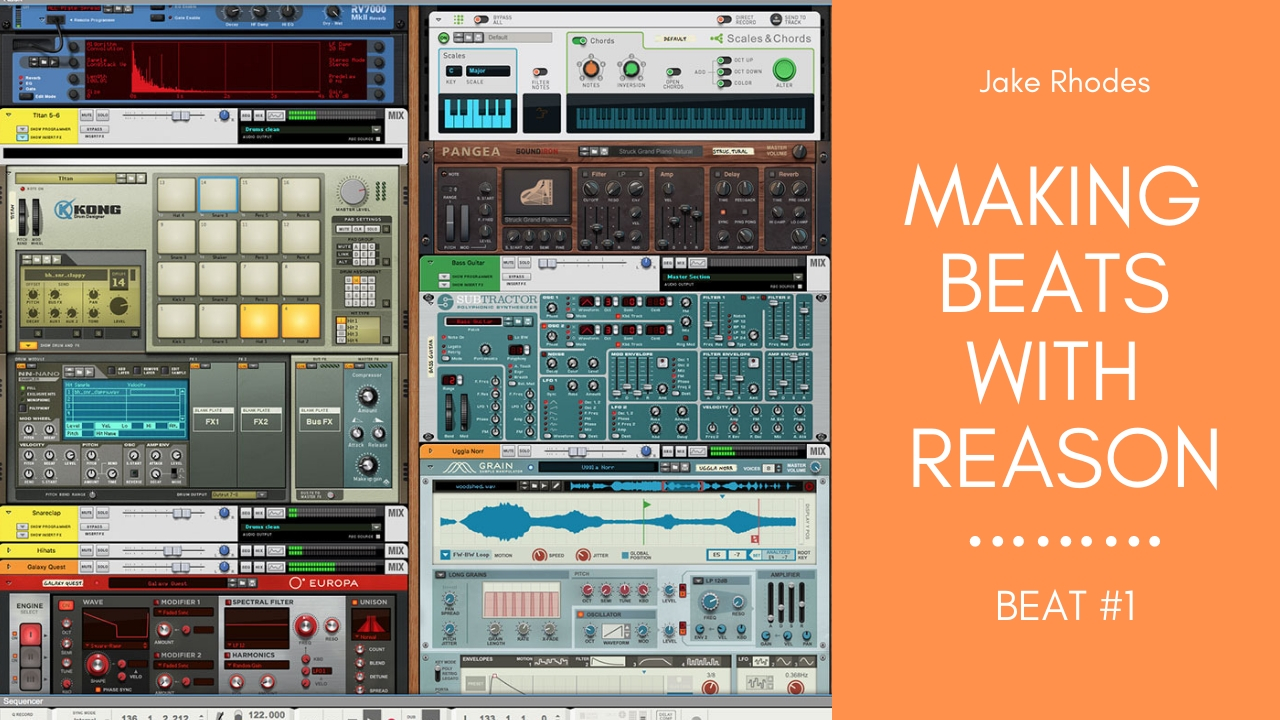
I have decided to start a new video series on my YouTube channel titled "Making Beats With Reason". In this series I will basically be sitting down in front of my DAW and just start working on the fly without any type of concept of what I will be making. The song may turn out to be total crap or it may turn out to be one of my greatest masterpieces that I have ever created. The point to all of this is not only allow me to practice my skill but to show other aspiring beat makers out there that you just got to sit down and see what comes out that day. Sometimes you will amaze yourself and other times you may realize areas you need to improve on. I have been using the reason program now for 15 years and I still don't utilize 80% of its capabilities, mainly because of my style of song writing but for the most part I have never taken the time to learn things that I never needed to use. This just goes to show you that are hundreds of different ways to use the Reason program and that really there is no wrong way.
By recording my song writing sessions I hope you get a glimpse of how an experienced user uses the program for making essentially glorified rap beats. You may still notice that sometimes I am lazy and it looks like I have no idea what I am doing, other times you may be asking yourself how the hell did he do that or saying, I had no idea you could do that. The level of skill in my song making really depends on how I feel that day.
With all that said here is the beat that I have created first. To me it was a lazy first attempt because I just was not in the zone that day, not to mention I still wanted to put it out to show other beat makers you don't have to be perfect and everything is not going to be a smash hit. Just stay the coarse and perfect your craft and most of all make sure you have fun along the way doing it.
LINK TO YOUTUBE VIDEO:https://youtu.be/PsKIwisUn6c
LINK TO THE BEAT FOR FREE ON SOUNDCLOUD:https://soundcloud.com/down2earthproductions/making-beats-with-reason-beat-1
My YouTube channel: https://www.youtube.com/channel/UCCX-1eUNK-76wgZNha1YlIQ
My Artist SoundCloud Page:https://soundcloud.com/down2earthproductions
October 30, 2018
Neewer NW-700 Microphone Bundle Review
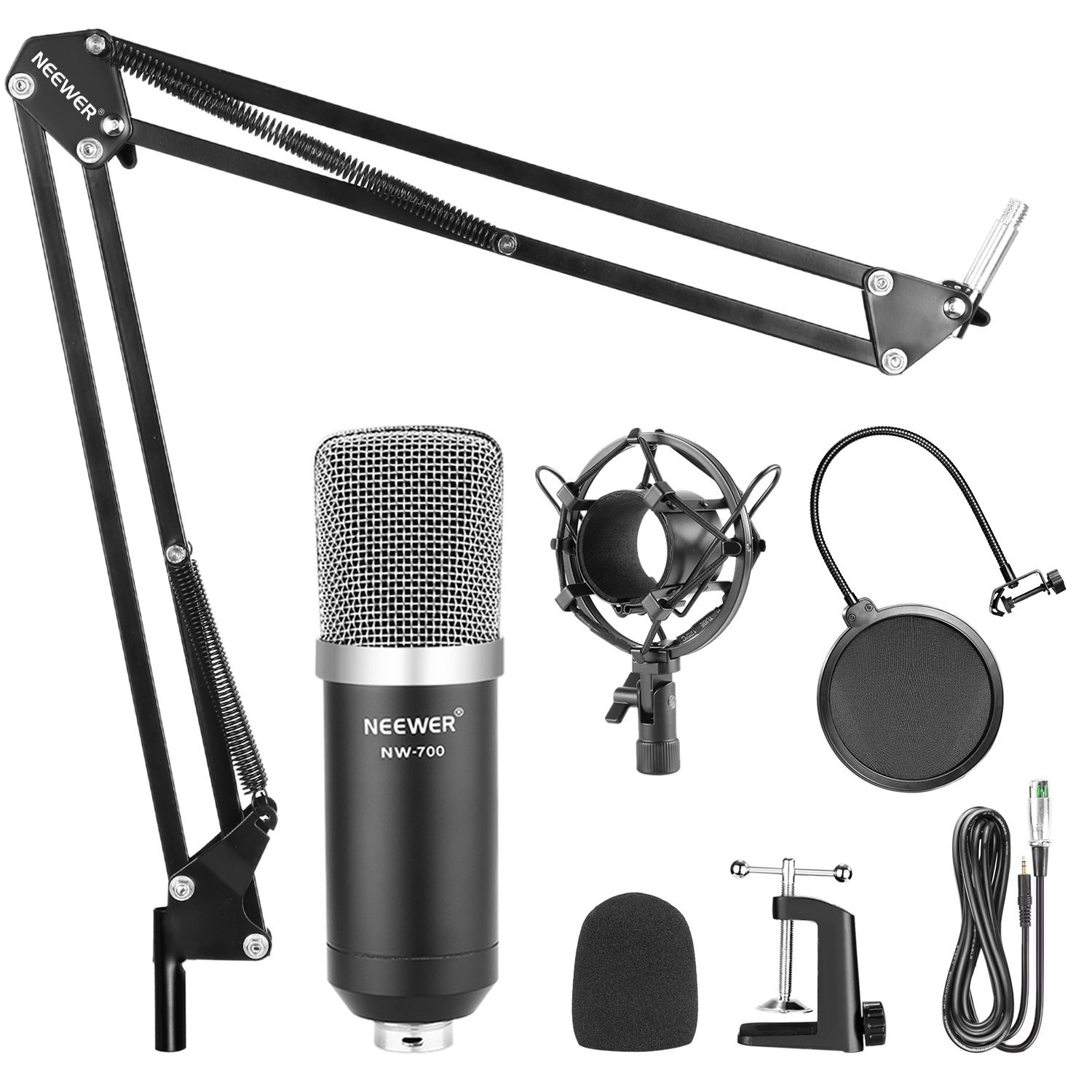
The Neewer NW-700 microphone bundle is jam packed full of accessories to go along with the microphone but that's where it stops. It is simply a glorified microphone accessory bundle and that is it. The fact that it comes with a microphone is barely worth mentioning. I know that should be the main thing you are buying but really I would look at this bundle more as a microphone accessories bundle that happens to includes a microphone.
If you're coming from a microphone of substantial quality this will surely be a letdown for you unless you just need it for casual conversation and talking on the phone. I do believe if you were going to use it for any audio recording such as recording music with vocal tracks you will be let down if you've had a nicer mic before. If you have never had a quality microphone than you will not really be able to tell a difference. You will think it is built with great quality from compared to less say your headphone microphone to your iPhone or Android phone.
Some users have reported hearing a buzzing sound during used in recording but I did not hear this in mine. I will say it has a very lighter sound and doesn't have a hefty robust sound like $100 condenser mic should. But like I said if you need it for light use this would be an acceptable microphone. Especially considering the fact that it comes with so many accessories.
Bottom line is this this is a very cheaply made microphone from China that is hit or miss on the quality of assembly and parts. There is a 50-50 chance that you may get a non-working unit fresh out of the box that is brand new. If you absolutely need something to record your vocal tracks with and you are not worried about extremely high-quality this can get you by as long as you are using a proper DAW system to record with. The ideal scenario for this microphone I believe would be phone calls video conferencing and light note-taking through your desktop or laptop computer.
I recommend getting this product if you are extremely low on money and you are not extremely worried about the highest of quality. I would also buy this unit alone just for the accessories because if you go to Amazon and add up the price of each accessory individually you will not be able to come close on the price comparison if you create your own bundle to buy on Amazon.
In a complicated answer as to would I buy this again, I would not buy this again if you are relying on it for recording I would buy this again if you needed every accessory that this package comes with. What you could do is order this package use the accessories and the microphone as a backup mic, plan on getting yourself at least a little bit nicer condenser microphone in the $50 range if you are tight on budget. If not, focus on getting a $100 condenser microphone like the Audio-Technica I mentioned, you can’t go wrong with it.
On a side note for something to mention you may see this package on Amazon in a variety of styles and looks as far as the color of the accessories and microphone and they may even have a different brand name but the bundle will still look pretty much the exact same. I would not get any of these and all these are are the same exact components being purchased by different companies,they simple modify the look so their brand looks like they have a different model. Trust me they are all the exact same inside.
This package is being sold as what they call a “White Label” item, which means different brands purchase this bundle and modify the colors or shape a little bit and slap their name on it as a different product from their competitors and compete only with price. All you need to keep in mind is that every bundle that has the same exact accessories will be of the same exact quality.
I hope this review helped and if you have any questions or comments please feel free to mention them below.
October 29, 2018
Audio-Technica AT2020 Microphone Review

The Audio-Technica AT2020 microphone has been by far my most favorite affordable budget-friendly microphone I have ever owned. It has a very sturdy quality build with great premium parts inside. The quality of the sound has a good mid-range sound as far as highs and lows go. I would say this microphone tends to be more on the higher treble side than the lower base side but nonetheless this can all be adjusted in your equalizer.
If you were looking for a great starter microphone for your home studio recording I would highly recommend this as a great starting point. Audio-Technica has been around for a while and they do have some respect to their brand from many other musicians and composers. This microphone is more for recording instead of video and conference calling through the computer although it will easily be able to accomplish this as well with a breeze.
If I have one gripe about this microphone it would be the cardioid shape for the sound. Your cardioid is the direction that the microphone will allow sound in. Without being completely around the microphone this means only one side of the microphone picks up sound and you must be facing that side. Unlike more high-dollar expensive microphones that pick up all around, on this microphone you will have to keep in mind which side is the front. I know many microphones do have front and back but in my preferences I do not like that I have to think about the fact if I am speaking into the front or the back I like to be able to grab the microphone and just start singing.
At the price point of $100 I think this microphone is easily within most people's budget and this is why I highly suggest this is one as this is one of the best microphones for people starting out on a budget that I have ever used. In fact you may not even need to upgrade microphones for some time, the quality is just that good.
Sometimes you can find this mic in a bundle with other accessories but the mic alone has held its price point at or around $100 dollars for years now. Every once in a while I have seen the mic on sale for about $70 bucks but it is not too common.
This is your traditional XLR condenser mic and not one of those USB baby mics. Don't get me wrong some of the USB mics have a nice sound but when it comes to routing your audio channels with your computer you are going to want to have a condenser mic running through phantom power, you just can't beat that traditional setup.
If you have a budget of about $100 dollars to spend on a microphone then I would highly suggest the Audio Technica AT2020 as the mic to get. Soon as you hear the powerful rich warm sounds this thing can make you will know your money was well spent.
If you prefer another mic around the same price point I would love to hear about what you use. Leave a comment below