Andy Beach's Blog
July 21, 2011
I'm not dead, just bad at updating!
Hi folks. Based on e number of emails I've gotten lately, I know one of my old Macbreak appearances must have run again recently. Let me welcome you all and apologize in advance. yes, I know one of the x264 posts is missing some images - I promise, I'll dig them up this week. As you may have noticed, I don't add much here anymore. It's not that I don't still find compression fascinating, it's just that my daytime at Seawell Networks plus the recent addition of a daughter to our household takes up the majority of my time see days. And since you are reading this site and not my personal one, you probably don't want to see photos of the kid, which is fair enough.
There is more to it than just that though. You see, these days I'm a bit more removed from the compression part of the job. I still encode video from time to time, but these days it's either for myself or as a favor. So while I still know what I'm talking about for the most part, I freely acknowledge there might be those who are paying closer attention to the ins and outs of compression.
Last fall I launched a second video site called theVideoUprising. The reason I did that is that these days I'm thinking less about compression and more about the overall video landscape - how it gets delivered, the business deals behind it, etc. I could have carried on writing that type stuff here, but it felt wrong - RWVC is the mechanics of making the video work right and look good. tVU on the other hand is more about the changes occurring in the industry that are driving us to find new ways of watching video and new ways of delivering it to the viewers. So with that in mind, I'll certainly still add content here when it seems right, but don't be surprised if it's few and far between. I will however, trying to pipe up more often just to say hello and to point towards other useful compression sites who might help fill the gap.
Cheers,
Andy Beach






October 28, 2010
Setting Up a Screen Capture
I recently started answering a few questions by doing screen recordings showing the step by step instructions. This was a much quicker way for me to answer the question and much easier way of sharing the information than screenshots combined with lots of copy explaining the process (which is also fairly tedious to put together). The response was very positive, but immediately spawned a whole series of questions around best practices for encoding screen capture video.
To keep the ball rolling, I thought I'd answer those questions via video as well! But before I can talk about good encode settings, I thought it best to review some tips for setting up your computer to improve the eventual quality of your finished encode. I explain it in more detail in the video, but the highlight are:
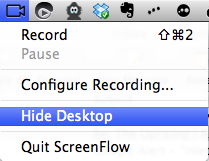 Start with a clean desktop - remove all the extraneous icons and dock from the screen, as well as close any web browser windows or other elements you don't want to include in the recording. In the video I do this manually by switching to a new Spaces screen on my mac and moving the files on my desktop to a temporary folder. I neglected to mention Screen flow has a handy feature allowing you to hide all the icons on your desktop (just click the little camera icon in the menu bar and choose hide desktop)
Change your background - busy desktop images are fun to look at while you are working, but add unneeded complexity to the encode, so switch your wallpaper to a single color (i use neutral grey) while capturing.
Change screen resolution to 1280 x 800 - my screen resolution is typically 2560x1600; if I tried to capturing at this size and then present it on the web, all my windows and icons would be so small you'd need a microscope to see them! 1280x800 is the closest native monitor resolution to 720p (1280x720) so I tend to choose it for the purposes of capturing. I like to keep to monitor native resolutions for capturing when possible. First off, its just easier to do (no need to root through custom settings in the display panel) but also some applications look and work better in full screen mode if your sticking with the screen native aspect ratio. Then when I edit and encode, I have two options - I can either crop the video slightly (by 80 pixels vertically) to achieve my 16:9 aspect ratio or i can allow the video to encode with slight pillar bars (two vertical black bars on either side of the monitor image) to keep it at the appropriate aspect ratio. Both work and we'll compare how they look in the final encode in my next post.
Setting Up a Capture from Andy Beach on Vimeo.
In my next post we'll look at what encode settings to use to get the best quality encode for your finished screen capture movie.
On a side note, I worked for a company in New York City that produced how to videos for topics like editing in Final Cut Pro and using Photoshop about five years ago. It's funny how much the technology has changed in just that short time. When we were doing those productions (sometimes as much as a 10 hour video on a single topic) the screen recording tools we had to use were quite different and not nearly as feature rich as Screen Flow. Even in the short time I've been working with it after my long hiatus doing screen capture, I've found several little tricks I wish i'd had access to back then - and I'm sure those of you more familiar with the product will point out even more I've missed along the way.


October 22, 2010
Using WebM in Episode 6
Several people have now emailed me asking where and how to use the new open source webm extension in Episode 6. I thought it might be easiest to just do a quick recording and show you how to create a new preset or edit an existing one to change it to webm and vp8. hope this helps!
Making a WebM Setting in Episode 6 from Andy on Vimeo.
Two other quick notes - first off, sorry for the audio - i used a headset mic and the audio is a little "poppy." I have a much nicer mic for recording these type videos, but didn't have the time to set it up. Secondly, let me know if this type of video tip is helpful as I would like to do more. Feel free to drop me a line with suggestions for video compression things you need help with and I'll try and answer it with a video!


October 20, 2010
FaceTime on the Mac
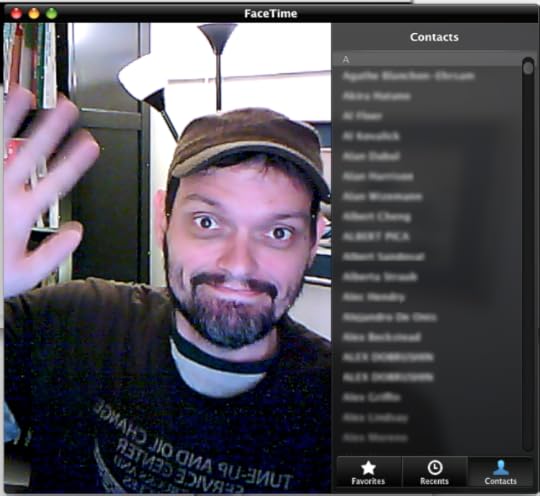 The FaceTime Beta UI. On the left is the image from your camera and on the right is your addressbook, recent calls, and favorites list.This morning Apple, INC made several announcements, including availability of a beta FaceTime application for OSX 10.6 and later. As I mentioned, FaceTime is a Snow Leopard only application and requires an account with Apple to use (i'm using my MobileMe account, but I believe any iTunes Store account would work as well).
The experience is pretty good, I was able to quickly do a facetime chat with my brother, both from the desktop and my iPhone4 (he was on the desktop beta for both. The quality from the phone was much better, but that's because I'm using a 3rd party webcam on my MacPro which is much lower quality than the current line of built-in cameras on the Macbook Pro's, iMacs, and the Monitors.
Like the iPhone4, this is most likely a streaming h.264 video stream, though i'm unsure the specs being used for the encode, i'll root around and see if i can figure that out this week and do an update.


October 15, 2010
How I Watch "TV"
 It seems like this is a super un-hip thing to say, but I love watching TV. I mean, for god sakes, I have spent my whole career working and playing with video, so how could I not? And like most folks, I do the majority of TV watching in my den. But like any well meaning, good hearted video geek, I have shifted a lot of my viewing habits to non traditional methods. Sometimes that means mobile devices, but not always -- after all, I paid for that big honkin' flat panel, I might as well make the most of it. So how does a self describe video geek consume content?
Just because I dont watch it on my TV doesnt it mean its not TV. And just because it shows up on my television, doesnt it mean its traditional cable or broadcast content like you'd expect to find (in fact, I watch video podcast on my TV quite a bit these days). so with all this in mind, I thought it might be handy if I ran down the various methods -- hardware, software, and services -- I use for keeping up on my shows...
The Elephant in the Room
 Courtesy of Dreamyshade on Flickr
Before we dive into a review of how I watch TV, let's get this over with -- of course I know what Bit Torrent is and how to use it. In fact, I'll go so far as to say, i'm pretty sure I could use it more effectively than most people reading this if I wanted to for replacing my other viewing portals. As early as 2002 I was exploring how to use it to grab British shows I loved and couldn't watch in the states another way. So why don't I just use that? The thing is, I want IP based distribution of video to succeed and the only way that will happen is by supporting it. So years ago I went legit and pay for all the online content that I can. In fact, I tend to overpay for it at times -- there are a few shows I watch that my wife doesn't and I know I could DVR it, but I like the convenience of access by subscribing online, then being able to watch it either on the TV or a computer.
So I'm not trying to ignore torrenting and I'm all too aware it exists and has perfectly legal uses, Im just encouraging those who can to support this medium instead of hurting it by using the the legit avenues available. And using them doesn't mean you have to be a sheep -- i'm quite vocal about when a service or the content they offer sucks. If you don't like it, write them, post in forums, find ways to offer positive feedback that help them improve the offer -- thats the only way we can hope to get the better models for distributions we want. Whew, how's that for a PSA? OK, enough ranting, on with the recap!
Hardware
Comcast DVR
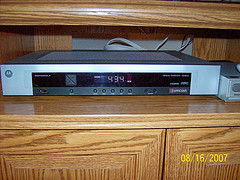 Photo Courtesy of indy & joybeth on Flickr
Well, first and foremost, I do still have cable. I've been a cable subscriber for about 5 years; before that, I was a Dish Network subscriber for about 10 years. I really liked having satellite and was looking forward to someday having HD, but I moved to a new apartment in Brooklyn (where I lived at the time) and its wiring was too old to support DSL, so I had to get cable just to get decent bandwidth and it was easier to just roll it all together. Now that I live it Portland, Oregon, I've thought about switching things up again, but frankly I'm to the stage where when I get rid of cable, I want it to be for Over-the-Top (OTT) services.
My current DVR is the HD one from comcast and is made by Motorola and I'm not going to lie, I hate it. Its one of the clunkiest, jankiest interfaces I've had to use in a long time. When I lived back east, I had a Tivo Series3 and liked the UI so much more. This one is wholly unintuitive and throroughly frustrating. That said, its gets me the access both me and my family want. I can watch all the various TV shows and movies I want to see as they are broadcast. I can record many of them (up to 2 at a time) to the local hard drive and take advantage of Comcast's On Demand options to catch several more as part of the package (including HBO, since I'm a subscriber). Despite that though, I do run into issues. Occasionally there are three shows simultaneously I want to record (which I can't do) or I'll miss episodes for whatever reason - missed the start of a season, discovered a show after the fact, etc.
Note I said family -- my mother-in-law lives with my wife and I and with three of us here (with three very different tastes in shows) having the smorgasbord of TV watching available does come in handy, especially for those nights when we're trying to determine what to watch as a group. When the mom-in-law moves on (to a new house, jeez), then cable very well might be on the chopping block, or at least a serious downgrading of service, as both my wife and I are pretty adept at finding our shows elsewhere.
AppleTV
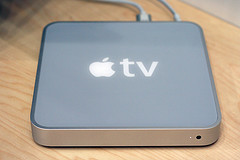 Photo courtesy of niallkennedy on Flickr
I've had an AppleTV pretty much since they showed up - I originally used them for demos at an old job (easy way to show off demo reels) and of all the gadgets I have for watching video on the TV, the AppleTV is the most wife friendly one I own (with the Roku running a close second). Its easy to use and familiar interface (she also has a macbook and iPhone) made it simple for us to find stuff on the iTunes store. The price tag for shows made this a pretty rare usage model for us however. Instead the bulk of the content we view on it are DVDs we already own that have now been converted over to digital viewing via Handbrake. In fact, I'd al but stopped buying DVDs before the AppleTV came around, now I love trolling used bins for cheap season of TV shows and movies. The discs rarely get used more than once - just converted for viewing later. We don't rip Netflix discs of "borrowed" items from friends. first of all, this is against the law, but I don't particularly have a problem breaking laws I think are idiotic. No, the reason we don't do it is there isn't really any point. Most of the stuff we rip only hangs around for awhile (one or two viewings) then it gets deleted. Its the storage factor that makes it impractical right now to host everything we've ever ripped for viewing. I'd rather not go though the effort to convert someone elses disc for us jus to delete it later, so for those rare occasions we get discs on loan, we just watch them on the DVD player.
Roku
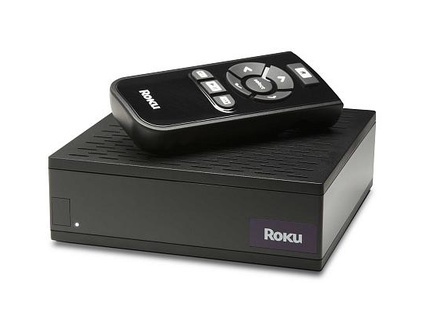 This is was my second Internet Set Top Box (iSTB) I believe. I pre-ordered one almost the day they were announced as I loved the concept -- an inexpensive simple box that could stream channels of content from the web without storing (quite the reverse of the AppleTV at the time, ironically though, not anymore). Many complained early on that at $99 the roku was too expensive considering all it really offered was Netflix, but I didn't see it that way. I realized that the way it was designed and built, adding new content would be easy and cost nothing at all. So I bought it not for what it offered me at the launch, but what I hoped would be coming and I have to say, this has paid off.
I, of course, use the Roku (ours is nicknames "Al Roku") for watching Netflix Instant, but thats not all. The other premium content offer I use with Roku is Amazon's Video On Demand library, both for rentals and our right purchases. Most typically, I've used the Amazon offering to catch up on TV shows that we either missed from the beginning or shows we regularly watch that somehow missed being DVR'd. I'll discuss the quality and model of both these services in more detail below (see the software section). I was happy to see other offerings come to Roku in the past year or so as well. While i'm not a subscriber to MLB online, it was added, along with a variety of popular podcasts via the MediaFly service. I'm a big fan of the TWIT network from Leo Laporte, and have taken advantage of the TWIT channel on roku from time to time to catch up on shows I watch if I happen to be in front of the TV.
Are any of these services on the Roku perfect? not quite, but then, I wasn looking for perfection, just a variety of content and that has been delivered on quite well. I'd love to see more commercially popular content come to the Roku and with the recent announcement of HuluPlus coming this fall, we will likely see just that.
iPad
 photo courtesy of jason.baak on flickr
In getting the iPad, I assumed I would be using it for video viewing, but I wasn't sure how much. I'm surprised by how much i'm using it as a book reader (both the iBook store as well as the Kindle app) but I am indeed using it as a tiny TV as well in a couple of ways. When I travel in the US, I've been using both the Netflix and HuluPlus apps to stream content. I basically have stopped using the TV's in hotel rooms. Much the way that my smart phone long ago replaced the alarm clock in the room, the iPad has replaced the TV, even more so than my laptop used to. When traveling abroad, I have synched content from my home machine, but i've done that quite a bit less so. Given the lack of local storage (even 64 GB doesn't seem like that much to me anymore) and external media options (SD cards, etc), I find networked streaming content the way to go.
My biggest pleasant surprise in playing with content on the iPad are the clients allowing me to stream content foam my own servers. The first one I played with was Air Server, which has a cheap ($1.99) client for both the iPad and iPhone and free server app for my home computer. Installing the server on my Mac Pro allowed me to select multiple folders of content for sharing online. Then, with the right ports forwarded I can stream that on content both from my home network as well as anywhere I have wifi or 3G access. While it worked, I'd say the remote access (both wifi and 3G) left a lot to be desired and was frustrating enough that I did it rarely. Within the last month or so, I discovered a new app called ZumoCast that does a much better job of delivering the content (See the Software Section to get the whole scoop on ZumoCast).
iPhone4
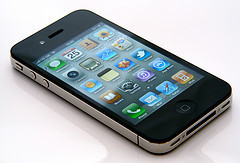 photo courtesy of purplelime on Flickr
I've had the iPhone quite a bit longer than the iPad and have used it for watching video content all along. Given the much smaller screen, my iPhone viewing has typically been in cramped quarters like airplanes or road trips (assuming i'm not driving, of course). The iPhone is far from my first smart phone - in fact I recently did a quick count and i've owned about 10 different devices since 2001 that could be classified as a smart phone. Most of those had at least some ability to playback video; given my nature it shouldn't be surprising that that is one of my fear requirements. The iPhone is the first one however that made both the act and the viewing of that content reliable and easy enough to make me do it regularly and thats very important. What's the point of being able to playback content if its so frustrating to get it working that the user ignores or avoids that option? Fortunately, I think many modern mobile devices have learned some UI tricks from the iPhones ease of use and made it much easier to use them as a media player.
Oh Yeah, I almost forgot, a DVD Player
 OK, technically its not a DVD player, but in my head this is what they look like. Thanks yein~ on Flickr for the photo
Almost more than the cable set top box, I'm ready to get rid of my DVD player. My wife says I think believe physical media is dead and she's not wrong. For the most part, I want to watch something once or twice, then I'm likely to not see it again. That makes physical media a terrible waste. I generally find DVD's too easy to break or damage, a waste of packaging, and a pain in the ass to keep organized. Once I rip a disc, I basically throw it in a box and never see it again. We do still get discs from Netflix, but those are almost strictly the domain of my wife.
Software & Services
If i'm doing this right, then I've probably mentioned all these options up above, but I wanted to make sure I highlighted the various services I'm using and what I like and dislike about them. What is telling about all of them at this point is they span multiple delivery platforms. By far the most successful video delivery services are the ones that allow me to consume content easily in different places at different times.
Amazon On Demand
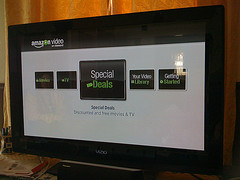 photo courtesy of programwitch on Flickr
As I mentioned above, one of the early premium services I started using was the Amazon Unbox video, which was eventually renamed Amazon On Demand (the PC client for playing back content offline is still called UnBox). Amazon give me access to a modest collection of movies and shows that can be purchased or rented (options vary depending o the content and the license holder). Content can be viewed streaming through a web browser using a flash player, offline on PC's using their custom application, and through certain set top boxes, such as Roku, certain BluRay players, and select Tivos. One of the things I really like about the Amazon player that has kept me coming back is the fact that things I purchase reside in a digital locker, meaning I can repeatedly come back to view it without having to download and store it locally (the way you do with iTunes). This has been particularly handy for TV shows we've purchased, then want to rematch with friends much later to introduce them to the show (we did this with Modern Family on ABC last year when my cousin was visiting over Christmas). For TV shows the price has ranged used to range from $1.99 (SD) to $2.99 (HD) but when Apple announced $0.99 rentals of ABC and Fox content, Amazon switched to $0.99 purchase of the same studios. I'm hoping more content winds up here as I'm much more likely to pull the trigger on a buck a show than I am at two or three dollars.
Still sorely lacking is an iOS friendly way of viewing the content - hopefully something is in the works, but at this point its pretty late to the game - hurry up Amazon!!
Netflix
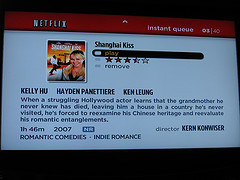 photo courtesy of MCWHAMMER on Flickr
This is probably the most well known online way to watch professional content. Netflix launched a few years ago with a relatively small library of content and have succeeded in launching a variety of players in several platforms, including the Roku, the web, BluRay Players, Tivos, and Game Consoles like Microsoft X-Box and Sony PS3.
In terms of content, Netflix has slowly been adding more material and its getting better. As I mentioned earlier, I'm not worried in these early days too much about how much content there is, as long as whats there is good (meaning engaging, something I want to watch, etc). Early on I really wanted Joost to succeed and was so excited to get my invite to the beta, then so underwhelmed by its content that I quickly lost interest. Netflix has avoided that problem by rolling out commercially interesting content and continuing to grow the library by making more deals (##pull up and cite that latest deal).
HuluPlus
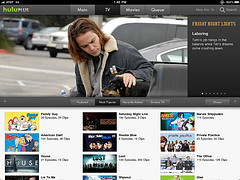 photo courtesy of Appmodo on flickr
I'm sure everyone is familiar with Hulu - for a couple of years now its been the way we goof off at work errr, I mean watch TV shows online. They got a great reputation early on for having the content we wanted to watch, but have suffered some bad press through a mixture of confusing deals (weird windowing and license issues around when content is available and for how long) and some content disappearing altogether (I miss you, Daily Show). Hulu Plus was announce and released as a beta, invite only paid subscription offer this summer. costing $9.99 its comparable to the lower priced Netflix plan but offers streamed only content (obviously). The announcement was two fold as it included an iOS app allowing playback on the iPad and iPhone. HuluPlus is possibly even more confusing than just plain Hulu as Plus subscribers don't have access to much of the free content available to everyone on the web version (as witnessed personally by me recently in trying to view the Bansky Simpsons intro). THat said, it does work and hopefully the goofy errors will be corrected. Last week it was rumored, then officially announced that HuluPlus would be coming to the Roku, which has me hanging onto my account long enough to see how well it plays there. If it goes well and some of the early gaffs are resolved, then i'll keep the subscription, otherwise, i'm likely to drop it.
YouTube (and others)
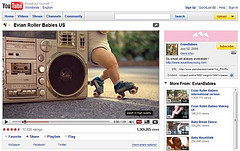 photo courtesy of jasongabrilla on Flickr
I'm not much of a YouTube watcher, though even I occasionally need to watch a video of a rollerskating baby (not as often as you'd think though). I do give them credit for improving the user experience over the years. The quality of the video has gotten dramatically better in the past 18 months or so and that has made quite a difference for me. I've watched clips through my iOS devices, as well as the computer. Almost always its content someone has posted to Twitter or the occasional music video i'm in search of, though when I was moving to portland, I did use the AppleTV to search for clips of the area as a way to check out the city from across the country. YouTube is the dominant name in the space still, but i'll add in watching clips on Vimeo, Blip.tv and the like occasionally as well, though those are as rare or rarer than my YouTube viewing.
TWIT Network
 photo courtesy of gssummeracademy on Flickr
TWIT has become the background noise to my work day (used to be NPR). I stream it live, subscribe to several podcasts through iTunes, and even watch shows on Roku from time to time. Even just 6 months ago I was primarily just listing to TWIT and mostly offline (syncing as podcasts), however now that I work from home and they've upgraded their studio, i often leave the live video stream running for hours at a time while i'm working. I like the fact they offer multiple feeds to choose from as from time to time, one works better than the other, though overall, I wish the connective was better, especially for the versions that play on the iOS devices. I believe its bitgravity delivering the iOS adaptive streaming versions, so likely the problem with quality lies with them, not the feed published by TWIT.
ZumoCast
 photo courtesy of nicoladagostino on Flickr
As I mentioned above, one of the things i've been doing since I got the iPad was stream content from my local computer to both he iPad and iPhone (though mostly the iPad). Initially with Air server it worked, but just good enough to not be annoying. Once I found ZumoCast, the viewing experience got much better. Like Air Server, ZumoCast has both client and server software (both are free!) and allows you to pick folders of content. By default it also includes your iTunes media and has folders to organize the material (something that Air Sever is sorely lacking). BEST of all is that ZumoCast uses the HTTP adaptive streaming supported on the iOS devices meaning that once it begins playing it rarely (and hopefully never) pauses, stutters or buffers. I love the way this app works both on my local network and remotely and it has quickly become the way I watch TV from my bedroom, backyard, and hotel room.
Summary
Well folks, there you have it - the most comprehensive breakdown of how we watch TV around my house. As I mentioned at the start, I'd love to drop cable at some point and pick and choose through the other services what I watch. I find when I use the OTT methods, I watch far fewer shows, but the quality of the selections are much higher. CableTV is my fast-food at this point and OTT options are the fine dining. I'm very curious about GoogleTV, but haven't bought one yet as the $299 price tag is a bit of a deal killer for me. Likewise, I haven't tried the brand-new AppleTV as my old one works just fine, though I am curious to play with it to see the differences. As new services and devices drop into my life or I shed ones off this list, i'll do my best to report it here.


October 4, 2010
My First Look at Episode 6
If you have ever read or heard me chat about the compression tools I use, you know Episode has weighed in heavily. And that love of that application as a catch all dates back to when it was still Popwire. Part of what drew me to this app orginally was how reminiscent it was of Terran's Media Cleaner Pro in terms of codecs and formats supports (lots) and the dials and knobs you could use to tweak the settings (also, lots).
 The New Episode 6 Interface on Windows 7
 The New Episode 6 Interface on OSX 10.6
Back at NAB of this year, Telestream announced a major revision of Episode which has now launch. Episode 6, now available in a few configurations is a fairly major update to the user interface and adds a whole new notion called workflows.
But workflows arent the only update - here's a quick rundown of what's new:
Episode Engine is now available for the PC.
Extended browsing, monitor and deployment possibilities. Bookmark, browse, monitor, and deploy to local folders, SMB network shares or FTP servers. You can even automatically upload to YouTube with metadata.
One click clustering: All versions of episode (Mac and/or PC) can collaborate and share work.
Built in file sharing: Episode systems will dynamically share content with each other, avoiding file sharing issues.
All mpeg formats (MPEG1, MPEG2, MPEG4, H.264) now use Main Concept codecs.
Split and stitch encoding is available in Episode Engine for mac and windows.
Split and Stitch encoding is available for all supported formats in mixed Mac and PC clusters.
Episode command line interface (CLI). See user manual for details.
Support for encoding to the new Google webm format.
ProRes codec is now included with Episode (all editions). This allows decoding (Mac and PC) and encoding (Mac) ProRes files without requiring the separate installation of the Apple ProRes codec.
New Colorspace Conversion Filter: Converts 601 to and from 709 color. In addition this filter can also convert video levels between studio (scaled) and Full (RGB) levels.
Of all these elements, here are the big standout features for me:
Cross Platform Support - Episode 5 brought about a PC version of Episode which I was very happy about. I'm a cross platform guy - I often need to troubleshoot systems for others that are both PC and Mac, so I need to be up on both and often certain files are just easier to encode and manipulate on one OS or the other.
Clustering - Support for using both PC and Mac versions of Episode as a shared resource on a network for encoding.
Deployments - being able to save share points and then assign them to workflows
Workflows - the graphical interface for dragging together blocks of watch folders, encode settings and deployment points to create whole workflows that can then be saved . This is such a logical way to work for me that I'm very happy to see it make it into the UI.
 Sample Worklfow in Episode 6 [image error]
 Webm Support - this is the first professional encoding application i've gotten my hands on that supports webm, so i'm excited to be able to play around with it more. I've already tested out multiple freebie apps, but they always lack the control over settings I crave.
Three Flavors
Episode (priced at $495) includes support for Flash 8 & 9, H.264, Windows Media, MPEG1/2/4, VC-1, DV, 3GPP and much more, plus One-Click Clustering and file sharing, processing of one job at a time, and unlimited batch processing.
Episode Pro (priced at $995) includes Episode features listed above, plus support for high-end professional formats and parallel encoding of two jobs at a time.
Episode Engine (priced at $3,995) includes Episode Pro features, plus unlimited parallel encoding and Split-and-Stitch distributed encoding for high volume throughput at maximum speed.
Which version is right for you?
If you are just creating content for the web, the base model of Episode is likely all you need. I typically run Episode Pro because I often find myself with a wide range of professional formats that are supported in it. If you are encoding a huge amount of content regularly, episode engine is designed as a dedicated encoding station, similar to products like Rhozet's Carbon Coder or Inlet Technologies Armada.
If you want to see Episode Pro in action, check out the webinar I presented recently (September 28th). I showed off some of Episode 6, though several different encoding applications were covered (in full disclosure, Telestream sponsored the webinar).


September 5, 2010
Bound for Europe
 September for me has meant (at least for the past several years) a trip to Amsterdam to take part in IBC. This year is no different, though i'm heading out a little early to speak at a workshop the European Broadcaster's Union has put together at their headquarters in Geneva, Switzerland. They describe this program (called OCEAN) as:
OCEAN stands for “Open ContEnt Aware Networks”. It is a 3 year European Commission funded project (STREP) which started on 1st February 2010. Its mission is...
August 16, 2010
Telestream Grabs Anystream
 Late last week it was announced that Telestream was purchasing Anystream from Grab Networks. Anystream was the transcoding piece of a multi-company merger (first Anystream bought Cauldron Solutions, then merged Voxant, when they were renamed Grab Networks). I spoke briefly with Dan Castles (Telestream's CEO) this morning regarding the acquisition. Some, including myself, have questioned where this acquisition fits in at Telestream, as they have appeared to outsiders to be primarily...
August 10, 2010
Webinar Coming Soon - suggest topics!
I'll be presenting another free webinar in September (date is TBD) through the fine folks at newmediawebinars.com. The topic is specifically compression for the web and I'll highlight things like encoding for your own server vs encoding for YouTube and the like. What other areas of compression for the web would you like to see covered? Got a pressing problem or something you'd like help with? If so, use the contact link above to shoot me your request and I'll attempt to cover it during the...
August 6, 2010
News Re-cap from the Week
Lots of news has been hitting the web this week. From OTT to Playon here is a rundown of this week’s eye catchers:
OTT (over-the-top)
Wi Photo by Mr.T in DC th announcements of Google TV, Streaming Media Global brings us a discussion over gatekeepers. In theory, he who owns access to the home can define what the consumer watches and pays for, this can be critical to broadcasters who want to push their content. This article reviews some key challenges that the major players will face.