
Matt Smith's Blog
May 17, 2012
Where Can You Find A Cheap Unlimited Mobile Internet Plan?

Mobile Internet is the future of computing. Tablets, smartphones and laptops can all benefit from it and I think we’re not far off from seeing the day when laptops start to ship in large quantities with a wired network option (you’ll have to use Wi-Fi or mobile data).
There’s just one problem, really – price. Mobile Internet plans aren’t cheap. Most cost $30 a month on top of an existing cellular data plan, and that’s if you go for a mid-range tier. Some carriers are charging as $60 or $80 for plans with measly bandwidth allowances.
Unlimited plans? Most carriers have abandoned them or are planning to of abandon them, but there are still a few unlimited mobile Internet plans available at affordable prices.
Disclaimer: Mobile plans are regional, and I’m in the United States. These plans were researched from the perspective of someone living in the lower 48.
Boost Mobile – Starting at $50/month

Boost Mobile is a subsidiary of Sprint Nextel that focuses on low-cost plans and phones. Currently they have one of the best plans in the United States, offering unlimited mobile text, talk and Internet use for $50 dollars a month.
That’s only with a basic feature phone – you’ll pay $55/month for an Android phone and $60/month for a BlackBerry. But those are still good numbers. Boost also has a loyalty plan called SHRINKAGE (yea, in all caps) that can save you a few bucks over time.
Boost Mobile has a decent selection of mid-range Android 2.3 phones. Nothing fancy, but perfectly competent stuff. There is a version of the HTC EVO coming to the network soon, though its not available at the time of this writing.
The company does not support wireless hotspots. I’ve read reports of users have success using unofficial tethering apps on rooted Android phones.
Virgin Mobile – Starting At $35/month

This mobile carrier uses the Sprint Nextel network but is not owned by the company. It offers unlimited mobile Internet plans for as little as $35 dollars per month with 300 cellular minutes, which is even less than Boost Mobile.
The catch? Virgin Mobile throttles data over 2.5GB. You can still access data, but you will only be able to access it at sub-3G speeds, so it’ll be pretty slow. The value of this service compared to Boost Mobile will depend entirely on how much data you use. Virgin Mobile has a small selection of inexpensive Android phones, some of which are very good for the price.
Unlike Boost Mobile, Virgin Mobile currently offers a mobile data plan and sells two 3G networking devices, one hotspot and one USB adapter. The cheapest plan is $10 but only supports 100MB of data. The $20 plan provides a more reasonable 500MB. Shelling over $50 will provide you with unlimited data, but again, you’re cut off from 3G speed if you go over 2.5GB.
Sprint – Starting At $69/Month

Though not as inexpensive as Boost Mobile or Virgin Mobile, the company that provides network coverage for both has some decent deals of its own.
It has an unlimited everything plan for $99 a month, but those more interested in mobile Internet than text and cell use will love the unlimited data plus plan, which starts at $69.99. It offers unlimited data and messaging plus 450 minutes of talk.
Sprint also as some great mobile broadband plans. Individual devices that support mobile Internet can go online for as little as $19.99 a month, though you’re restricted to 1GB of data.
The more interesting plan is Sprint’s 6GB hotspot plan, which is $50 a month. That makes it a nice alternative to Virgin Mobile, which is technically unlimited but throttles data after 2.5GB. Users who use more than 2.5GB but don’t go over 6GB would be better off with Sprint.
Clear – Starting at $49/Month
 Unlike the other options, all of which use cellular 3G or 4G networks and in fact all use the same network (the one managed by Sprint), Clear is a WiMAX carrier. They don’t offer phone plans at all but instead focus on Internet service.
The company’s pricing and plans can vary a bit from location to location, but you’ll generally be paying $49.99 for an unlimited data plan. And it’s truly unlimited – there’s no data throttling at all.
Sounds great, right? But there is a downside. WiMAX coverage is poor compared to cellular data, so you can only use Clear in small areas, mostly urban centers. If Clear is in your area, and you mostly use data in your local area, Clear could be great. Those who travel cross-country will have to look elsewhere.


May 11, 2012
Intel HD 4000 Mobile Performance Review: Is Great Gaming Now Standard On Your Laptop?
Intel has now released its latest rendition of its current processor architecture. Codenamed Ivy Bridge, the CPU portion of the update is modest. It’s still the same architecture as Sandy Bridge, but a new process is being used to make the chips. This allows for a modest performance increase of about 10% to 20% in most benchmarks.
The IGP is a different story. All laptops shipping with new Core i3/i5/i7-3000 series processors will be equipped with Intel HD 4000 graphics. The company has tweaked the architecture and also added four more execution units, upping the total from twelve to fourteen. It’s better, faster, bigger, stronger.
How does that impact performance?
Gaming Performance
The addition of four execution units is significant and suggests, by itself, an increase of about 25%. But Intel is claiming far more than that – official numbers say the improvement should be around 50%. How does this hold up in 3DMark 06?

It turns out that in this benchmark Intel’s claim is conservative. The HD 4000 graphics solution is almost 65% quicker than Intel HD 3000. In fact, HD 4000 is almost on par with the Nvidia GT 525M in this benchmark. That’s not bad at all, is it?
But what about a real world game? Let’s start off by looking at something simple, like Dawn of War 2: Retribution. This is an older title that Intel HD 3000 graphics could handle, albeit with some difficulty.

In this older game we don’t see a huge leap in performance. Intel HD 3000 already does well enough, and Intel HD 4000 simply makes the game a little smoother, adding five frames-per-second to the average. The Nvidia GT 525M proves its worth by adding additional frames on top of that, coming very close to the magical 60FPS mark.
Now let’s consider Just Cause 2. This game is also a couple years old now, but at time of its release it was considered fairly demanding. In early 2011 only dedicated gaming laptops were able to handle it, and Intel HD 3000 always crumbled when faced with its complexity. Has the situation improved?

Damn! The performance of Intel’s new IGP is over twice that of the preceding version, and even the Nvidia GT 525M is unable to keep up. The game is more than playable at these (low detail) settings on any laptop that has Intel HD 4000 graphics. The game experience is smooth and attractive, despite the fact that many graphics features have to be turned off. It’s incredible how far Intel has come over the past two years.
Intel HD 4000 is capable of playing most older 3D titles and many new ones. Even Battlefield 3 can be played at low detail settings with a resolution of 1366×768. If you want a smooth experience in modern 3D titles you still need to upgrade, but players who want to play less demanding games like Diablo 3 and Dawn of War: Retribution should find Intel HD 4000 to be adequate.
Will Intel HD 4000 Play World Of Warcraft?
Yes. Absolutely.
The benefits that you see from World of Warcraft will not be as great as the benefits you see in a game like Just Cause 2. That is because the game, like all MMORPGs, tends to be “processor bound.” The game taxes the resources of your computer processor before the game reaches the limits of what your graphics solution has to offer.
Intel HD 3000 was already capable of handling the game at high detail settings. With Intel HD 4000, high to ultra detail settings should be achievable. Your results will be dictated by the processor as much as the IGP, so if World of Warcraft is your game, I recommend buying a laptop with a fast Core i5 dual-core or a Core i7 quad-core.
May 7, 2012
Best Tablet 2012: A Round-Up Of Awesome New Products
Tablets have no sign of slowing their growth. This year we’ve seen new products from major manufacturers like Apple, ASUS, Lenovo, Toshiba and Sony – not to mention literally hundreds of knock-offs available on eBay and at street markets around the world.
Looking back, we may think of 2012 as the year the tablet matured. Some critics have bashed tablets as toys, and although I don’t agree with them, it’s easy to see where they’re coming from. Even the iPad had neither the hardware nor software required to be more than an entertainment device. These new tablets, however, are a different story.
Let’s dive in and round up the best tablets of 2012. They’re fast, they’re enjoyable to use, and they’re as affordable as ever.
Apple iPad (third generation)

Everyone was excited about the release of the new iPad – so excited, in fact, that some crazy hardware rumors about things like haptic feedback started to circulate. When the real product was released, some people felt let down.
That’s a shame, because the third generation iPad is easily the best tablet on the market today. Its “retina” display is a key feature. Small text that can be rendered by the new iPad often appears blocky on other tablets until you zoom in, while images and games have a sharpness not found elsewhere.
The other traditional iPad strengths remain, as well – the processor is fast, there’s an unmatched selection of apps and battery life is outstanding. Better still, Apple did not raise the price – but they did lower the price on the iPad 2, which is now just $399 .
.
The new iPad starts at $499 on Amazon .
.
Samsung Galaxy Tab 2 (7-inch)

2012 may also go down in history as the year the 7-inch tablet started to catch on. Amazon’s Kindle Fire still sells well and Samsung’s Galaxy Tab 2 7-incher is currently the second most popular tablet on Amazon. ASUS is promising a $249.99 7-inch Tegra 3 tablet later this year, as well – if it ever comes, it too is sure to be a success.
The recipe to the Galaxy Tab 2 is simple. At $250, it is inexpensive. It is light, weighing in at less than a pound. It is powered by a reasonably quick 1 GHz dual-core processor. And it runs Android 4.0, so while it seems to be sold as a budget option, it still has the full software enchilada.
There’s really not much to dislike. Okay, the camera is not the best – but seriously, at this price, who cares? Since I don’t like the Kindle Fire for numerous reasons the Samsung Galaxy Tab 2 7-inch is my small tablet of choice.
The Samsung Galaxy Tab 2 (7-inch) is just $249.99 on Amazon.
ASUS Transformer TF300

The original Transformer (known by the model number TF101) was the first serious competition to the iPad. It was a light, affordable, powerful tablet with no-nonsense design. The optional keyboard dock was touted as its greatest feature but was, in fact, unnecessary for enjoying the device.
Now ASUS has updated the concept by introducing a new entry-level tablet, the TF300. It is a significant update. The chassis has been redesigned to drop some size and weight, bringing the new tablet to .39 inches thinand 1.4 pounds light. These are not the best figures in the industry, but they are competitive for a tablet starting at $399.
Also competitive is the Tegra 3 quad-core processor. Although the A5X used in the new iPad has more power for handling graphics, Tegra 3 has the edge when it comes to CPU arithmetic. Throw in Android 4.0 and you have the recipe for a slick, responsive device. Even battery life is robust – expect up to 10 hours if you’re trying to stretch it and about 8 hours in normal use.
The Transformer TF300 is $399 on Amazon.
Which Would I Buy?
If I were buying a brand new tablet today I would take the iPad 3. It’s higher price is justified by its better app selection, unmatched battery life and awesome display. As a geek I appreciate the big and small details that palce it ahead of the competition.
What do you think? Which would you, or have you, purchased? Let us know in the comments!
February 25, 2012
Buying An Affordable Family Computer
Families commonly seek out the most economical products and services, all in an effort to control household expenses in a fluctuating economy. However, consumers rarely see advertisements from computer manufacturers and retailers, alike, about a line of economical of computer systems. Contrast this to a line of economy automobiles. Nonetheless, household shoppers can approach the sometimes-confusing task of finding the most affordable PC by focusing on the economical aspects of the machine on a micro level.
Laptops make up a substantial portion of PC sales, overtaking traditional desktops on the computing market. One of the main reasons families can find affordable laptops is because manufacturers have found ways to build systems using alternate parts at the factory that are cheaper. The Dell Corporation bases Dell laptop deals and pricing on being able to reduce production costs.
For example, gamers and power users prefer a standalone graphics card in order to get the best video and graphics experience while using a PC. These cards can add as much as $50 to $100 to the overall price of a computer. Alternatively, manufacturers have been able to reduce the costs associated with rendering high-quality graphics by integrating the video card with the processor chip, or central processing unit. You see this type of integration in DVD/CD combination drives, as well.
Families can find an affordable PC by looking very closely at the specifications for software components. In particular, operating system developers, like the Microsoft Corporation, develop various editions to suit user needs. Windows 7, for example, comes in a Starter, Home Premium, Professional and Ultimate editions. The average family easily accomplishes basic activities on the Home Premium edition, which may include streaming movies, listening to music and email communication. These various software and hardware choices influence prices for Dell laptop deals.
February 7, 2012
Maingear Updates Titan 17 With Core i7 3960x Desktop Processor. Yes. Really. [News]

Have you ever looked at your laptop and thought – gee, this thing is too portable and too slow! What I really want is a suitcase that includes a processor more powerful than 99% of desktops. Something that is really going to melt my face, or at least whatever table I sit it on.
You have? Then Maingear has you covered with the updated Titan 17.
As the name “Titan” implies, this is not your typical laptop. Measuring 2.2 inches thick, it looks like something out of a 1980′s vision of the future rather than a real, modern laptop. But the ridiculous profile becomes understandable once you realize that this laptop can pack a Core i7 3960X processor. Just to be absolutely clear, that’s the desktop version, packing six cores with a base clock speed of 3.3 GHz. As of the time of this writing, it is the most powerful consumer processor in the world.
The Titan 17 doesn’t slack in other areas to fit the larger processor, either. It can pack up two Nvidia GTX 580Ms in SLI as well as 32GB of RAM and up to three hard drives. Also included is a 17.3″ display with 1080P resolution and LED backlighting and a BigFoot Networks Killer wireless network adapter.
The base configuration of the Titan 17 runs $3,499 and is equipped with a Core i7 3930K along with a single Nvidia GTX 580M. Going all-out for the Extreme Edition processor and SLI bumps the price up to just over $4500. And you know what? That’s not nearly as much money as I expected.
If you’d like to know more, check out the full press release.
Source: Maingear
February 6, 2012
Intel Plays Matchmaker To Push Low-Cost Ultrabooks, Increase Orders [News]
So far, Intel’s ultrabooks have been met with a decent reception from the press. I’ve written an editorial about their issues, but most of those problems as solvable given time and ingenuity. The ultrabook is not an instant hero, but it’s also far from a flop.
One issue that must be conquered in the short term, however, is price. The high-end laptop market is dominated by Apple and there’s no way for Intel to overturn that company’s brand perception overnight. If Intel wants ultrabooks to truly become common, they need prices to drop.

DigiTimes reports that Intel is working hard to this end by acting as a matchmaker between some of the second-tier laptop brands and major laptop manufacturers. The hope is that this relationship will allow smaller laptop brands like ViewSonic, Epson and Onkyo (yes, they all have laptops) produce laptops for as little as $599.
“With Intel’s matchmaking, prices of these vendors’ ultrabooks are expected to hit as low as US$599-649 to be able to compete against first-tier players, the paper noted.”
Don’t expect to see these laptops at a retailer near you any time soon. Most of these smaller brands have limited distribution, particularly in North America, where big established laptop brands rule the roost.
Intel’s hand in these affairs is just another example of how committed the company is to the ultrabook and how badly they want it to succeed.
Source: DigiTimes
January 2, 2012
Core 2 Duo vs. Core i3/i5 In Laptops – Performance Comparison
Core 2 Duo hasn’t been Intel’s cutting-edge processor for several years now, but if you search Amazon you can still find some inexpensive laptops that are using Core 2 Duos. You may find yourself looking at a Core 2 Duo laptop compared to a basic Core i3 laptop and wondering if the i3 is worth the extra cost.
Or perhaps you have an old Core 2 Duo laptop and were thinking of an upgrade, but you don’t want to waste your money if newer laptops aren’t that much quicker.
In either case, you need to know how the Core 2 Duo vs. Core i3 or Core i5 battle pans out. I don’t think I’m spoiling anything by saying that the newer processor (the i3/i5) is faster – but how much faster? Well, let’s find out.
Processor Performance – High End Core 2 Duo vs. Core i5
Comparing an older processor with a new one is difficult. Operating systems, benchmarks and other hardware components change, which makes an apples-to-apples comparison impossible. However, we can gain a general idea by looking for laptop reviews that share benchmarks over the years.
For example, Anandtech recently reviewed the Dell XPS 14z with a Core i5-2430M processor. In 2009, they also reviewed a Dell Studio XPS 16 with a Core 2 Duo 8600 processor. Each was benchmarked with a few similar programs. Let’s look at the results.


As you can see, the Core i5 effectively doubles the performance of the Core 2 Duo across the board. Remember, current Core i5 processors are two generations beyond the last of the Core 2 Duos, so it’s not terribly surprising to see such large gaps in performance.
Processor Performance – Mid-Range Core 2 Duo vs. Core i3
Unfortunately, I’m not able to provide any graphs for this performance showdown.
Why? Because Core i3 laptops are almost never sent out for review. It’s an old trick – don’t send the press your least powerful product. Send them at least a mid-range option, if not they very best you have. That gives the best chance of a good impression.
This means we have to guess. There are two features that mobile Core i5 processors have that Core i3 processors don’t – Turbo Boost and Hyper-Threading. Together, these enable an approximately 10% to 15% improvement in performance when comparing a Core i3 and i5 processor with similar base clock speeds.
Even if you knock 15% off the performance of the Core i5 above, it still handily beats the Core 2 Duo. And a mid-range Core 2 Duo would itself be clocked at about 2 GHz, which is 20% less than the P8600 used in the comparison above. What this means is that you can expect a new Core i3 system to be significantly quicker than a 3-year-old mid-range Core 2 Duo. In fact, the i3 will easily beat a high-end Core 2 Duo.
Graphics Performance
Though pure processor performance is what most people pay attention, graphics performance is also important. It used to be the case that graphics performance from an integrated graphics processor was very poor. In fact, for most of the PC’s history, integrated graphics components were placed on the motherboard. It’s only recently that the IGP has been made a part of the processor, sharing cache resources to allow for better performance.
Just how much better? Let’s take a look.

This information is taken from three sources. One is benchmark testing of an Acer Extensa laptop from 2007 equipped with the Radeon X1250 IGP. This laptop also had a AMD Turion 64 X2 processor running at 1.9 GHz. The other source is the HP dv6500t X3100, which was reviewed by Andantech. The final source is my own testing of the Dell Inspiron 14z with a Core i5 and Intel HD 3000 graphics.
Conclusion
The information we have available is clear. Modern laptop processors are better in terms of processor performance and graphics performance. If you were to purchase a new Core i5 laptop today, an upgraded from a mid-range or high-end Core 2 Duo, you would be able to notice a significant performance difference. Programs will load much more quickly, and you’ll be able to play most modern 3D games without a discrete graphics solution – still at low settings, mind you, but they will at least be playable.
On the other hand, the older Core 2 Duo was sufficient for basic productivity and web surfing then, so it should be sufficient for the same now. As mentioned, I recently tested an Acer Extensa laptop from 2007. Though this laptop was obviously old and worn, it still can provide mostly adequete performance for web browsing and document editing.
If you are considering an upgrade, consider your reasons. If you do not demand much from your laptop, you will still notice a difference, but it may mean your web browsing loading in 10 seconds instead of 20. Those who use more demanding software – like Photoshop, for example – are the users who will gain the most from upgrading.
December 19, 2011
The Future of Tablets: Translucent Technology
Portable technology is taking over the global market. Advertisements on the Internet, TV, and other forms of media promote the best and newest hand-held gadgets such as cell phones, TV’s, and other mobile devices. One of those devices, the handheld tablet, is gaining popularity among consumers of various ages. These devices are capable of carrying out a multitude of tasks as well as providing meaningful entertainment to prospective buyers. Many tablets have 3G or 4G capabilities and can be used with satellite ISPs, such as http://internet.clear.com.
The growing age of technology targets a population that is constantly on the go, so there are more powerful handheld devices being released to consumers from various companies on a consistent basis. The tablet is just one of those releases, but it is an elite device that has allowed consumers to compute on the go. Not only can it carry out most, if not all, the functions a normal desktop computer can, but tablets are user friendly devices. The prices for tablets vary depending on several factors such as storage space, screen size, operating system, and computing power.
Sometimes one can wonder what this world would be like without the technology in it and if it is all necessary, but it is proven that technology such as handheld tablets improve our efficiency and make our lives easier. They also provide entertainment and can help us express ourselves and stay in touch with others, as well as watch movies, send emails, read the news, write reports, and so much more. Mobile technology such as tablets have definitely transformed the way we live our lives. Thinking globally, living with no limits, and constantly moving has become a way of life.
High-end mobile technology such as tablet computers allow us to do so much more than we could ever before. They do come with a steep price, but it is well worth it based on productivity, entertainment, and the miscellaneous other tasks they perform. Take part in mobile technology today, and grab yourself a handheld tablet!
December 12, 2011
Intel Core i3 vs i5 vs i7: Which Intel Processor Is Best For You?
Intel’s Core line of products, which debuted in 2009, is the current high-end option from Intel. If you buy any computer today there is an extremely good chance it will have a Core processor inside. In this article, we are going to examine the desktop versions of these products. In a later article I will explain the mobile versions found in laptops.
The Basics
The Intel Core line arrived to replace the Intel Core 2 products. Yea, it’s a bit confusing, I know – but Intel wanted to reset their branding, so they reverted back to just using “Core” and then adding a suffix of i3, i5 or i7. As you may have guessed, higher numbers are better – a Core i5 is supposed to be better than a Core i3.
Currently we are on the second generation of these processors. They use an architecture called “Sandy Bridge,” but don’t expect to see that name much when shopping, as it’s a code name used by Intel internally. Instead, look for processors with a model number that starts with 2, such as the Core i3-2100 or Core i5-2500. If the model number is only three digits long, then it is not a current generation Intel Core processor, and you probably should not buy it.
One of the new features found in second-gen Core processors is an integrated graphics solution (IGP) that is now a part of the processor itself. This is called Intel HD 2000 or 3000 graphics, and again, the higher number is better. The IGP can handle older 3D games, but not stunning new titles like Battlefield 3. Don’t worry, though – the IGP automatically disables if you install a video card.
Now, let’s delve into the Core i3 vs i5 vs i7 question.
Intel Core i3: Basic But Powerful
Intel’s Core i3 is the most basic processor Intel offers for desktops besides a handful of products that still use the Pentium brand name. All Core i3 processors are dual-cores, but they have hyper-threading, which virtually mimics a quad-core. This means that when you open Windows Task Manager and go to the Performance tab, you will see four threads in the processor performance graph.
Turbo Boost is not featured on the Core i3. The processor does not automatically overclock when conditions allow, so the clock speed you buy is what you get. No Core i3 processor is unlocked to allow for manual overclocking, either.
In the graphics department, you’ll find a combination of Intel HD 2000 and Intel HD 3000 graphics. Unfortunately, there is no easy way to tell which has which by reading the model name and number. You’ll simply have to refer to the Intel specification sheet.
In the Intel Core i3 vs i5 vs i7 debate, the i3 is clearly the least powerful. Don’t let you fool you, however –there’s still a lot of juice here. All basic tasks like web browsing and document editing will be cinch. This is also the perfect processor for a budget gaming PC. I use a Core i3-2100 in my own desktop, and when combined with my Radeon HD 5850, I have no problem playing the latest games like Skyrim and Battlefield 3 at High detail settings.
The best value in this line is usually the Core i3-2100, priced at 114.99. However, sometimes the slightly faster Core i3-2120 is put on sale. If it is only $5 or $10 more, go ahead and grab it.
 Intel Core i5: The Most You Probably Need
Going with the Core i5 will provide you with four cores instead of two and also enables Turbo Boost. As a result, performance in certain applications (those that use all four quads effectively) is blazing fast. AMD’s processors can’t hope to compare in most situations, and the Core i3 also trails the i5 significantly in applications like Handbrake, a tool that rips and converts MPEG-4 files.
However, because of Turbo Boost, the i5 also usually defeats the i3 even when all cores are not being used. It’s simply a faster processor. This is in spite of the fact that the desktop version of the Core i5 lacks hyper-threading, which is enabled on the i3.
Like the Core i3, integrated graphics on the Core i5 can be either HD 2000 or HD 3000. You will have to refer to the Intel specification sheet to find out which version is equipped on a specific processor.
Overall, the i5 is an excellent processor that hits a price-performance sweet spot. Most reviewers consider the Core i5-2500K to be the best choice because it offers a high clock speed and supports overclocking. However, a budget-minded buyer might be better served by the Core i5-2300, which currently retails for just 184.99
Intel Core i7: The Bleeding Edge
 If you’re looking for the faster processor that is available to consumers today, then the Core i7 line is your territory. These are the fastest x86 processors ever created, and they dominate the competition from AMD. Core i7 not only wins vs. Core i3 vs. i5. It wins vs. anything.
All Core i7 desktop processors have hyper-threading and Turbo Boost, and all of them except the Core i7-2600 have Intel HD 3000 graphics. However, the line is split between the Core i7 quad-cores and the six-core products.
The quad-cores, like the Core i7-2600K, represent the best that most people can afford. Though you’ll still probably pay over $300, you’re receiving a processor that can handle any task well without demolishing your bank account. No matter if you’re gamer, a professional photographer, or a data-cruncher, the Core i7-2600K is an excellent choice.
The six-core processors are much different. While all the other second-generation Core processors plug into a motherboard socket called LGA 1155, the six-core i7 uses a socket called LGA 2011. This can only be found on motherboards using the Intel X79 chipset. This, combined with high processor pricing, means that six-core i7 systems are only for people who absolutely need the fastest computer possible.
For most users, the Intel Core i7-2600K is the best value, at $315.

Which is best for you?
If you don’t do anything that’s demanding on your PC, a Core i3 is perfectly fine. It may be a dual-core in a world that’s beginning to embrace quads, but you know what? It often doesn’t matter. Most media players, web browsers, and even video games still are not properly optimized for quad-cores. Don’t get wrapped up in “more = better” hype. Modern dual cores are all that’s needed by the majority of buyers.
Hardcore gamers will probably want to go with a Core i5-2500K, however, because it can be overclocked to your pleasure. People who use demanding applications like Photoshop or Handbrake will also want to upgrade to the i5. Those extra cores do help when software is coded to use them.
Most people don’t need to consider the i7. It certainly isn’t the value option – yea, it’s faster than the i5 processors, but not by enough to justify a $100 price gap. The six-core i7 processors are even worse when it comes to bang-for-buck, so few people will need to buy them. If you’re the kind of professional who needs the fastest processor possible for you work, you probably don’t need me to tell you that a six-core i7 is the way to go.
Remember…
This article covers the desktop components only. It does not touch on the mobile hardware. I will be writing about that later in a separate article.
November 4, 2011
Are Laptop Prices Rising in Late 2011 and Early 2012?
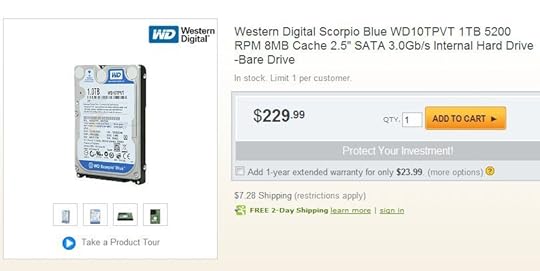
Recently, there’s been much ado about the flooding in Thailand in the tech world. Not because lots of people are dying and millions homeless, but because hard drive prices are rising.
About 40% of the world’s mechanical hard drive production capacity is located in Thailand, and since the land there has suddenly decided things really are better under the sea, most of it has ground to a halt.
No one can predict the exact impact this will have on production for the rest of 2011 because no one knows exactly when flood waters will recede, but it is looking more likely with each passing day that Thailand production will be crippled into early 2012. Even when the flood recedes, it will take some time to repair damaged facilities, a task that is going to be further hampered by the widespread local damage. Basic services like electricity, clean water and open roadways will be hard to come by.
According to Seagate’s latest SEC filing, the company believes total industry shipments for Q4 2011 will drop from an expected 180 million to 120 million or less. That means supply will be hampered by over 30%.
Hard drive prices have already risen – that’s a past event. The question many are now asking is what impact this will have on laptop prices rising over the next six months. ASUS has publically warned that current hard drive inventory is good only until the end of November. This statement probably does not mean that ASUS will have no more hard drives after that point, but it does mean that after November the company will have to pay higher prices for new drives.
This, in turn, will translate to higher prices for laptops. Again, the impact is hard to predict, and will largely depend on remaining supply. We’ve already seen the online retail consumer market take a huge hit, with some drives more than doubling in price. I believe this is due to huge HDD orders from the big vendors which have taken a lot of product out of the consumer market. There are some reports that even the large manufactures are now having trouble filling the orders they place – and have to do so at higher prices than before.
I think it is likely that a small increase in average pricing – about $20 – will take place. A hard drive is not a large part of the overall cost of building any computer, and that goes double for laptops, which often use cheap 500GB drives with low spindle speeds. However, the profit margins on laptops are not large. That’s the reason why HP’s now ousted CEO wanted to get rid of the company’s laptop division. In addition, small cost bumps add up over time. If the price of a 500GB hard drive went up by $10 for HP, and they build a million computers, you’re looking at 10 million dollars. And HP builds a lot more than a million computers, so that adds up to real money.
Although a small price increase like this would be notable for industry analysts, consumers probably wouldn’t much care. It’s even possible that a price increase like this could be compensated for in other ways. Manufacturers might keep prices the same, but slightly de-content laptops at a given price point to make up for the higher hard drive prices. We might see a computer that used to have a 2.3 GHz Core i5 drop down to a 2.1 GHz model without a price reduction, for example.
The worst case scenario is a situation where the supply has become so tight that manufacturers simply can’t find enough drives to put into the systems demanded. To compensate, more computers will be offered with solid state drives, but those are also more expensive than their mechanical counterparts. If a situation like this occurs, laptop prices could rise $50 or $100 on average. Alternatively, we might see significant de-contenting – drops from Core i5 to i3 processors at the $600 price point could occur.
I am skeptical that this worst-case scenario will occur because there will be great incentive for companies to put production back online or increase production at the plants that still are operating. Still, it can’t be entirely discounted as possible.
My advice? If you were thinking of buying a laptop this holiday season, do it, and sooner rather than later. Although laptop prices may not rise, they certainly won’t go down. In addition, Intel’s new processor line is not expected until May/April 2011, so you won’t be missing out on any new technology that’s right on the verge of being unleashed.
Matt Smith's Blog


