
Potter Puppet Pals fanz discussion
PICTURE!!!

message 1:
by
Angel♥
(new)
Oct 09, 2008 08:59AM


reply
|
flag

 Mod
Mod
Mod
Mod
 it never works for me. :(
Mod
it never works for me. :(
Mod
 no i know what you mean. I'm sorry i'm no help. I think you do this:
[image error]
yes. that's what i meant kind of. I thought you put a space between the = and "
Mod
Mod
there's a space between img and src.
like this:[image error]
Mod
[image error]
 AHHH!!!!! it doesn't work! It only gives a link! Golly dingit!
Mod
AHHH!!!!! it doesn't work! It only gives a link! Golly dingit!
Mod

 it works! but it has words still!
Mod
it works! but it has words still!
Mod
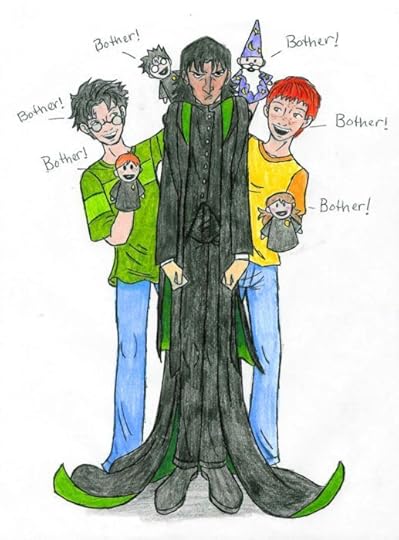 Mod
yeah! it worked! I luv that pic.
Mod
yeah! it worked! I luv that pic.
 I love that picture! Who drew it?
okay here's how it worked for me. I looked up a pic in a different tab on my comp. and then i clicked ON THE PICTURE (that's the key for me) when it was up and clicked "copy image address" and copyed it. then i did the whole thing with that urll
Neal R Haney aka Olo Chubb of Deephollow.
Mod
idk that's what it said. gtg homework!
Mod
oh I was replying to Tess's comment. Um.................
I'm bad at explaining. No one seems to understand. I wish I could show you.
Mod
I love that picture! Who drew it?
okay here's how it worked for me. I looked up a pic in a different tab on my comp. and then i clicked ON THE PICTURE (that's the key for me) when it was up and clicked "copy image address" and copyed it. then i did the whole thing with that urll
Neal R Haney aka Olo Chubb of Deephollow.
Mod
idk that's what it said. gtg homework!
Mod
oh I was replying to Tess's comment. Um.................
I'm bad at explaining. No one seems to understand. I wish I could show you.
Mod
i have sum pics saved in a file in My Documents, i try to put it on here, but it wont work.it just has a box wif a X in it, so do u right click the box on here? or do i right click it while it's in My Documents?
 It won't work if it's in My Documents- it has to be off the Internet and have a URL address.
this is how you do it...
1. [image error]2. "the_url_here"
3. />
no spaces except between img and src. so this is what it should look like, but with less spaces (it will make a little box with an x if i do it the way i should):
[image error]
1. [image error]2. "the_url_here"
3. />
no spaces except between img and src. so this is what it should look like, but with less spaces (it will make a little box with an x if i do it the way i should):
[image error]
^ no space there.
Mod
yeah. like when you google a pic then go the the full size image place, that's the url, at the top. ex: http://s112.photobucket.com/albums/n1...
go to this and there should be a pic, and at the top is the url (or the link i just posted)
go to this and there should be a pic, and at the top is the url (or the link i just posted)
Mod

 Mod
Mod
it's a cornucopia of love!
Mod
Mod
it's a cornucopia of love!


