A.C. Melody's Blog
November 15, 2025
Free Content is Back, Baby!

Hi Readers!
I just updated the menu here on my website to add “Free Books & Chapters,” bringing free content back to the site now that I’m not selling exclusively through KDP Select anymore.
Here’s a brief summary of what you can find under the new menu option:
Free BooksCollar Me Foxy (Dark Day Isle, Book 1)Free Ongoing Serialized StoriesRiveted (a Club Riveted & Torque Brothers Prequel)Demimonde Academy (my first attempt at First Person POV)Brimstone (a Midgard Ulfrinn Spin-off)Free ChaptersIrreparable (The Broken Ones, Book 1)Scarred Hearts (a Mafia Romance)Thief of Dragons (an Alternate-Earth Fantasy Romance)Avarice (Hell on Earth, Book 1)Hexed (Hell on Earth, Book 2)Invidiam (Hell on Earth, Book 3)Scavenger (Dark Day Isle, Book 2)Fox Trot (Dark Day Isle, Book 3)Hearthstone Alpha (Midgard Ulfrinn, Book 1)Hearthstone Queen (Midgard Ulfrinn, Book 2)Violet Night (Midgard Ulfrinn, Book 3)The ongoing stories will get updated as I publish each new chapter and of course, the main menu will get updated if I add new free content to any of the categories.
 Happy reading and have a great weekend!


December 3, 2024
Dear Indie | Inkitt

Hi Indies!
As promised, this is an update for more sites authors can move their serialized fiction to now that Kindle Vella is shutting down. Inkitt actually published an article showcasing the benefits of moving to their site from Vella, which you can read here.
What is Inkitt?In a nutshell, Inkitt is Patreon without all the restrictions. They claim to be a Censorship-Free writing platform (within legal limits, I’m sure) that offers authors the chance to set up Subscription Tiers for their readers rather than a pay-per-episode system.

Note: I don’t yet have all these tiers available, only Spark, but they’re ready to go live whenever I want them to! The ability to save them as Drafts is a bonus IMO, so you can get a feel for how they’ll look to readers once you publish them all.
Like Wattpad, they also host writing contests where authors have the opportunity to not only win prize money, but an exclusive deal with their publishing site, Galatea.

At any time, Inkitt can and does offer its writers publishing contracts with Galatea, which is another benefit to moving your stories to their platform—IF you’re a writer interested in getting a book contract.
According to the Apple Store, Galatea is literally the #1 app for fiction on mobile devices—just FYI. So, this is not a hollow opportunity for some obscure, lackluster publishing company that may or may not be a scam.
 How Easy is it Really?
I’ll admit, Inkitt is a bit of a learning curve if you’ve never worked with subscription tiers before. Luckily, they have a very large and active community on Discord with tons of helpful topics already posted and members who respond relatively quickly.
The scheduling of episodes with subscription tiers for me was the most difficult to grasp, but that’s because they don’t actually have any step-by-step tutorials for those of us who desperately need them when learning anything new for the first time.
That’s my only complaint about them thus far, and once I’ve mastered using Inkitt’s platform I do plan to make my own tutorial here for you all, in case anyone is interested.
For the number of authors using their site and published through Galatea, I was really stunned at their lack of videos on YouTube and just in general Google searches. However, I do think that’s because of their massive and well-established Discord channel.
Royalties & RightsThe best feature is that everything that has to do with your story and its chapters (episodes) is 100% changeable by you at any given time. You can still edit your chapters after scheduling them for release. You can unpubllish them at any time, change the subscription tier they fall under, add them to multiple tiers, basically anything you want.
You have complete control and even better – 100% of the proceeds minus transaction fees goes to you. Inkitt doesn’t charge you any percent of your royalties to post on their site! Everything you make from your subscriptions is yours to keep and there are no exclusivity restrictions to maneuver around because you also retain 100% of your Intellectual Property.
Now, I’m sure that changes if you’re offered a contract with Galatea, but that’s because they provide all the same services any other publishing company would.
The ultimate bonus, though, is that they allow you to add already published books as long as they’re SELF-PUBLISHED. So, they can’t be under a book contract with a different publishing company.
I’m already in the process of uploading all my books on this platform to gain more exposure for them. Most of my books get zero views on retailer sites, yet I’ve already gained readers for Hearthstone Alpha on Inkitt just within the first day of posting chapters!
Engagement levels with readers on Inkitt is more akin to Wattpad than any other platform I’ve used because they actually do put your stories in front of readers as promised and give you a wall to write posts on to stay in touch with your followers.
You can also offer as many chapters as you want for free to entice readers, even for subscription stories. That aspect was part of the difficulty I ran across with not having a ‘How-To’ guide, but I’ve got it all worked out now.

In short, I’m totally in love with Inkitt and think that it is, hands-down, the best writing platform with the most benefits and opportunities for writers at this current time. This is the model that Amazon should’ve tried to mimic when they created Vella and it’s far better than Radish to get started on, even with the learning curve.
Stay tuned for my Step-by-Step tutorial for those who are interested in Inkitt. I do think at least one needs to exist outside of Discord because I fully deny that I’m the only one who needs that much help, LOL.
Happy December Y’all! I’ll be back with more goodies later!
• • • •
November 25, 2024
Dear Indie | I’m On Radish!
Hi Indies!
After my last post about Amazon shutting down Vella, I went right to work trying to find new platforms to publish my serialized fiction on. So far, I’ve only joined Radish, but wanted to share that experience with you.
The Radish ProcessUnlike Kindle Vella, where all you needed was a KDP account and great story idea, Radish makes new authors apply to their site like you’re querying for a Literary Agent or Traditional Publishing House.
As soon as you click on that ‘Become a Writer’ button, you start answering their long and thorough list of questions—so, if you’re planning to give them a try, here are the things you’ll need to complete those steps in one sitting:
Your full legal nameEmail addressA short bioA 30 page writing sampleA 250 words or less summary of the same workThe link to whichever already published work you plan on transferring to their siteAll your social media links including your websiteAnswer a few more of their probing questions and you’re doneI guess it’s a nice thing that you get that all taken care of in one go, rather than having continuous emails back and forth. But then you wait, and wait, and wait to hear back from them.
I applied on October 29th but didn’t get my ‘Congratulations’ email until November 21st!!! Then, I had to make a verified account on their Writer’s site and get approved for that before I could even start transferring works to their site.
I finally got the green light for that two days ago on November 24th, so here you have it—the brand new cover and title for Ghost:

Yes that’s a screenshot from my phone because a major con to using Radish is that it’s exclusively a Mobile App on the reader’s side. As a writer, you have full access to your Dashboard on a PC, but if you want to view your work as a reader, you have to download the app on your cell phone or tablet.
Pros & Cons of RadishThis is an early review. Of course, I won’t be able to give a full list until I’ve used the platform for a while, but just as a new author coming over to Radish from Vella, here are my lists of pros and cons:
ProsUp to 10 different story tags from a MASSIVE variety of already set options, so you don’t have to try and think of them on your own—yet they still give you the option to add your own if you wantDifferent Pricing Models—You can choose how or if to charge your readers rather than leaving it up to the Powers that Be, and some options even allow you to customize how many episodes are free and how many aren’t.Non-Exclusivity options for story transfers previously or already published on other platformsPre-schedule all your episode releases by choosing days and times of every week you want your new episodes to automatically publish. Write and add the episode to the Queue and you never have to worry about it not publishing on the day and time your readers expectCopy and pasting your already written stories is a breeze & you get to Preview how it looks on all different sized screensUser friendly-ish Writer Dashboard (the learning curve isn’t too steep)Easily accessible Help center for FAQs with easy to understand answersAdditional tagline & short summary to catch reader’s attention if your story gets featuredConsCompared to Vella, Radish can feel very overwhelming at first because it’s so much more in-depth with a million more options for every aspect of your storiesNo desktop access to the reader’s side, making it impossible to share the direct link to your story with anyone who doesn’t have the Radish appThe application process to even get started is almost a full monthConverting your time zone to GMT to figure out the best episode schedulingOddly shaped cover art (1080x1920px or 9:16) that’s not convertible from the Kindle Vella squares, so you have to remake all your story covers.No direct option to publish your episode immediately—you have to know the steps to doing it right the first time, and then figure out the steps to doing it if you change your mind after already adding the episode to the queueMultiple Story landing pages can feel like your going in circles just trying to find the right page to access a specific episodeThey use a third party site for your payment & tax details, which you’ll also need to set up first before you can start publishing. The steps are really easy and straightforward, but make sure you save all that log-in information in a secure place because it won’t be accessible on your Radish Dashboard!Well, that’s my take on Radish so far. Since I’m Non-Exclusive, I’m going to check out other popular serialized fiction platforms so I can have my stories available in multiple places at once. I never did that with Vella, even though the option was there, and now I regret it in hindsight.
I will keep you all updated on what I discover!
• • • •
Have you already started moving your stories to different platforms from Vella?
Are you already a reader or writer on Radish? What are your thoughts on the platform?
October 29, 2024
Dear Indie | Bye-Bye Vella! 😠
Hi Indies,
I just got the email today: Amazon is shutting down their Kindle Vella platform starting in December with the goal of it being completely dismantled by February 2025.
Here’s are screen shots of the email for those who haven’t received it or don’t already publish via Vella:


It just figures that as soon as I announce my publishing changes as being focused on that platform from now on, they decided to go and shut it down.  I’m beyond disappointed by this news, but I guess they have to do what’s best for their company.
I am so sorry for anyone who might’ve taken my advice to start publishing on Vella for the better royalties pay—I had no idea this was going to happen!
If you’d like to check out a competitive platform, I know many bestselling Romance authors use Radish for their serialized fiction. I’ll also be checking them out, along with other avenues—and, of course, update you on my experience.
Unfortunately, I’m as of yet unaware of a good platform for other genres, but I’ll let you know when I find them!
Again, I apologize for this unexpected news and hope it doesn’t cause too much discouragement in your publishing journey. I’m going to go lick my wounds and figure out what to do with all these serialized stories now…
I’ll keep you posted!
• • • •
October 22, 2024
Violet Night

Good morning, readers. It’s time for another new story announcement! If you read my last Dear Indie post about the changes I’ve made to how I publish, then you were already expecting this. If not, then—Surprise! 
For those who missed it, I’ve decided that I’ll be introducing all my new books via Kindle Vella from now on. Even if, like this book, it’s not the first in its series.
(Click on image to be taken to the story.)
 Blurb
BlurbShayd shouldn’t be alive. His body bears the proof of that: scars hidden by a landscape of Bind Runes that keep his Úlfr caged. They turned his wolf into a monster, his soul tainted with violence. With the help of his Alpha & packmates, Shayd’s been content to lead a human life. Now, it’s over. A new Fenrir has risen. Worse, Shayd has scented his mate in the beautiful Night, Cressa. But how can he deserve the affection of such a powerful female when he’s so riddled with dark, shameful secrets?
Genre: Paranormal Romance / Viking Wolf-Shifters
Series: Midgard Úlfrinn, Book 3
Welcome back to my modern-day Vikings living, loving, laughing and kicking ass in Minnesota. I hope fans really enjoy this return to the Pine Grove Úlfrinn Pack and all their crazy antics. This book picks up right on the tail (Ha!) of Hearthstone Queen without any breaks in the timeline.
Meet the Main Characters(For newbies who haven’t yet read the duet opener to this series, this is only a fraction of the massive cast of characters.)
Shayd Eklund: The oldest non-Elder in the pack, Shayd is one of the few Úlfar unrelated to their Alpha, Corbyn Bruschard. This raven-haired, purple-eyed, pierced & tattooed wolf is possibly the most troubled of all. Forced to live strictly as human goes against Úlfrinn nature, so Shayd’s not just troubled, he’s a ticking time bomb.
Cressa Hagen: As one half of the Martröð, Cressa is a daughter of the Goddess Nótt; a Dark Elf who’s supposed to be feared, not broken. But trapped & scattered in pieces for over forty years, Cressa’s mind is a scrambled mess, making it impossible for her to sort anything properly. All she knows is that she’s guilty of helping Fenrir wreak so much havoc on the Úlfrinn, and now she’s surrounded by them.
Maxon Hagen: He’s the Mare to his twin’s Night, and together they are the Night Mare of Norse Legend, also known as the Mara. Max has done countless unforgivable things to get his Night back, but now she’s inconsolable; mentally anguished. Worse, she’s mated to Shayd—the most damaged Úlfr he’s ever come across. The man’s soul bleeds nightmarish screams that taunt Max’s elfin ears, triggering his demon at every turn.
The AntagonistsKyle Windross: Ex-packmate of the Pine Grove Úlfrinn Pack and one of the main antagonists from Hearthstone Alpha & Hearthstone Queen.
The Guardians of Humanity: Fanatic/Extremist witch hunters who not only believe wholeheartedly in the supernatural, but that it’s their duty to wipe them all from the face of the earth to protect humans. They’re ongoing antagonists.
Fenrir’s Shade: Like the Úlfrinn, Fenrir’s Shade (referred to only as Fenrir) was placed in Midgard in preparation of Ragnarök. But there can only be one living at a time in each world. A new one has risen, confirmed at the end of Hearthstone Queen, and he will henceforth be a regular antagonist in the series.
The Vargar: Despite their name, they more closely resemble the werewolves of horror than the wargs of Tolkien, who borrowed them from Norse Mythology. They were once innocent humans, abducted and infected by Fenrir’s venom, changing them irrevocably into bloodthirsty monsters with no shred of humanity left intact. Unlike the Úlfrinn, they’re incapable of shifting back to human form once they’re turned.
Other Honorable MentionsThe GSI: After the old Fenrir’s ambush, government officials privy to the supernatural formed the Global Supernatural Intelligence Agency in an attempt to control the aftermath and any possible future incidents. They’re fully black ops, with no direct ties to any specific country. In other words: they have all the resources and none of the accountability. Despite their beginnings, the GSI is currently made up of just as many supernatural agents, as humans.
The Immortal & Council of Winds: Made immortal by Zeus, Aeolus controls the Anemoi, the personifications of the Eight Winds. Together, they are judge and jury of the Elementals. However, they like sticking their noses into other species’ business when they feel it threatens the rest of the world. It was the North Wind, Boreas, who told Corbyn about his king status in Hearthstone Alpha.
Book TrailerFor those who follow me on Instagram, I’ll also be releasing this trailer as a Reel later today. If you could share it with others or repost it, that would mean the world to me!
In other exciting news: I’ve been attempting to make my very first Video Tutorial for the next Dear Indie post. I’m so excited that I’ve finally learned how, but I’m lousy at recording, so it’s been an experience to say the least! LOL
p.s. Those waiting on new episodes for Ghost and Irreparable, I promise they’re coming soon!
• • • •
October 7, 2024
Happy 11th Blogoversary!

Eleven years??? Holy sh*tballs, Batman! I didn’t feel that old when I woke up this morning, but now… 
I just signed in to get some posts done for pre-scheduling because I’ve been a busy, busy little Indie Author of late and have tons to share—and lo’ and behold, my blog is wishing me a happy anniversary. That was so nice—until I read the year count! LOL
Honestly, WP there’s no need to throw numbers around like that. Just wish me a good day and move on.
I did want to thank everyone who’s stuck around this disjointed and often neglected site, continuing to read my far-and-few-between posts and even taking the time to comment on them or share on social media.
I really and truly do appreciate all of you for that!
When I went to grab a new graphic, this ‘Danke’ one appeared. I thought it was really pretty and since I was born there, it’s still true to me—so danke, danke, danke schön!
• • • •
Hold onto your hats, ladies & gents, we’ve got some Dear Indie posts coming soon with tons of tips & free resource links—and I have a massive surprise mixed in with all that, so stay tuned!
• • • •
October 5, 2024
Dear Indies | Publishing Changes
Hi Indies!
It’s official — I’m changing how I publish my books! After trying each avenue, it has become blatantly clear that publishing through Kindle Vella in serial format pays more than selling eBooks outright.
Even if no one reads them. You read that right. Amazon pays authors bonuses just for uploading episodes to their platform. So, despite having an extremely low reader count, likes, and followers, I’ve still been making almost double on Vella than in eBook sales.
So, from now on, I’ll be introducing each new book as a serial on Vella. I just wanted to let y’all know in case you’re still on the fence about giving that platform a chance with your stories.
It’s worth it—more so than just self-publishing directly to retailers—even with wide distribution.
And of course, once the story has been completed for (I believe) 30 days, Amazon allows you to remove it and sell it wide in eBook/Print form. Though, I think there’s still the option of keeping it on Vella if it’s really popular and getting a lot of reads.
How do I get paid more on Vella with so few readers?It’s all about uploads. The more episodes you publish in a month, the bigger the bonus Amazon pays out to you (90 days later). So, get those fingers typing!
What’s In Store for My Serialized StoriesI’m getting really close to the end of Irreparable, my Psychological Thriller and Ghost, my Mafia Romance.
To fill those slots, I’ll be introducing new stories real soon. One is the revised and re-titled edition of the very first book I ever published in 2014—way back when I actually had a publishing contract.
It was originally called The Zen Lounge, and only my longest-standing followers will recognize this old cover:

Yeah, I really messed up by giving it that title. Soooooo many readers ended up thoroughly confused because there’s nothing ‘zen’ about this fast-paced, Erotic SciFi with Criminal/Detective elements!
The new edition has been renamed: Seducing the Darkness.
It’s also been a blessing having the freedom to revise the book because, boy did it need it! LOL What a mess! I’ve definitely evolved and honed my craft a lot since writing the original. The story will remain the same—for the most part—with some additions and small little changes to certain places. But really, I’m just happy that I get to polish the ever living sh*t out of it before republishing.
I’ll also be publishing Violet Night, Book 3 of the Midgard Ulfrinn series via Vella around the same time. So, if you haven’t read my Viking Wolf Shifter Romances, Hearthstone Alpha and Hearthstone Queen yet, now’s the chance to get caught up!
Back when I was still a Hybrid Author, I actually ended up getting 5 books out on the market through my publisher, Red Sage. One of them was called Dark Duplicity, which I introduced as Book 1 of my Dark Descendants series.
Since getting all the rights back to my books, I’ve decided to shelve that novel as Book 2, and introduce the CORRECT first book, which will be Dark Legacy. So, that will be another one to hit Vella within the coming months.
Also, Irreparable is only the beginning of Vivian and Silas’s story, so I will be adding the next book to that trilogy sometime after I finish the first. That one will be published as it’s written, though, unlike these others which were previously published and/or already halfway done.
Having to write as I publish takes me a bit longer to post, as readers of Thief of Dragons and Fox Trot can attest. I am so so so far behind on those stories, which makes me feel horrible. I promise it’s not on purpose and I haven’t given up on them, it’s just how my ADD creative flow works. So, I am very sorry to those readers.
That’s all for this post. Stay tuned for the official new Vella release announcements and cover reveals for the stories listed above—coming soon!
• • • •
What are your thoughts on serialized vs. eBook? Have you noticed that one works better for you than the other?
Have you found a better serialized platform than Kindle Vella? Let us know in the comments below!
• • • •
July 26, 2024
The Velly’s! | New Story Intro

Amazon is hosting its first ever writing challenge through the Kindle Vella platform called The Velly’s. Of course, I’ve decided to take a shot. I’ve had this Psychological Thriller sitting in my documents for quite some time, overthinking everything about it because it’s such a new genre for me.
I’m still overthinking it, let’s be honest, LOL. But I have decided that now’s the time to see if I’m just being paranoid, or if I really should just stick with Erotic Romance.
And I’m not sure if this is just for the challenge, but apparently the first 10 episodes of each story is 100% free for readers instead of just the first three. So, I will be posting new episodes rather quickly to meet the August 20th deadline.
Click on image below to be taken to the story:
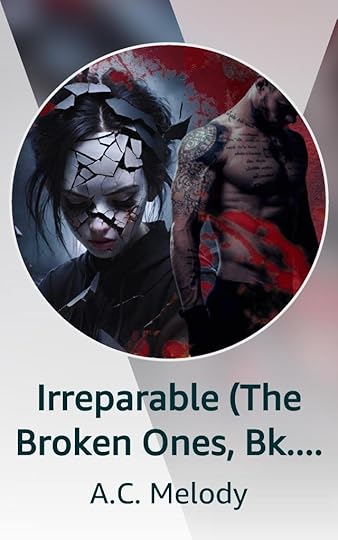
Irreparable (The Broken Ones, Bk. 1)
Blurb
Vee has no memory of a better life. Not a single glimpse of what might’ve come before her time in a cell, where she endures the worst things ever inflicted upon another human being. Her only hope of finally escaping lies in the heart of the darkness. In an urban legend. The Destroyer is a living, breathing devil of a man that even her owners fear. But how do you find a phantom of others’ nightmares? What if he’s all empty hype, or worse, she ends up trading one prison for another?
Please be advised, this serialized story is chock full of possible triggers, and includes a content warning at the very beginning. So, if you’re planning to give it a read—which I would absolutely love and don’t want to dissuade you from doing—make sure to give that a skim first to see if it’s the right story for you.
Hopefully, I’ll see you over on Vella. Only the stories with the most reads and likes by August 20th will be considered for any of the prizes, so every episode counts, even if it’s only the first free 10.
Thanks so much in advance for those who head over to read and support this new project, I truly appreciate it!
• • • •
Will you be submitting stories to the Velly’s challenge? Post the link below in the comments!
June 30, 2024
Super Summer Sale!
It’s the annual Summer/Winter sale at Smashwords, and I’ve decided to go all-in this year. Every one of my books will be 75% off starting tomorrow (July 1st) and lasting all month long. Collar Me Foxy is already perma-free, so that will also be included under the free section!
If you’re unfamiliar with Smashwords, just note that they offer every file type, including mobi for Kindle devices. So, it’s a great way to stuff your eReader with some fun in the sun, or sizzling hot steamers!
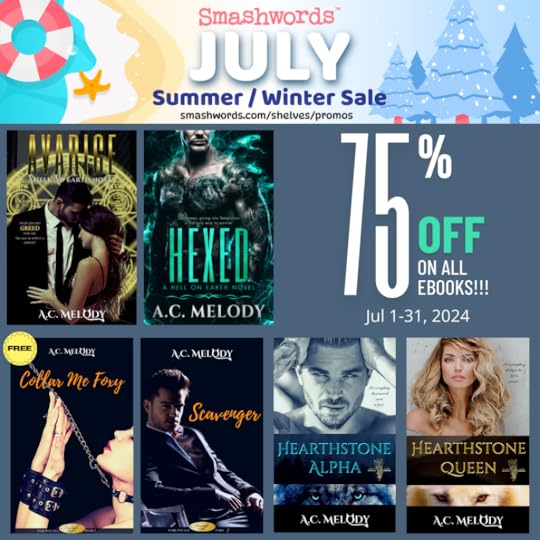
Happy Summer Reading!
A.C.
May 3, 2023
Dear Indie | Publishing with Draft2Digital

Hi Indies!
Wow, May came on quick. Of course, it doesn’t help that I took the whole month of April off after back-to-back Book Launches in February and March. But that’s what has brought us here today.
With those new releases, I decided to return to Draft2Digital (D2D) instead of using Smashwords for wide distribution. You may already know that these two platforms have recently merged, but they’re still operating as separate entities.
The main reason I decided to switch was because I finally took the time to learn how to use their Template Style Options properly. I was excited to learn that this tool enables me to design my books the way I’ve always wanted—with a Full-Page Graphic as my Title Page, Graphic Headers, and Drop Caps!!! 
Many of you are already aware of how picky I am when it comes to the interior formatting of my books. D2D is finally the one place that allows me to do everything I want—BUT it does have some drawbacks.
So, I’ve decided to share my experience here for anyone who’s still on the fence about whether or not to give Draft2Digital a shot. Fair warning: it’s a lengthy post but I do have lots of screenshots!
D2D Publishing ProcessBefore you even begin this process, you’ll want to make sure your manuscript is formatted per D2D’s guidelines. Here’s a link for their MS Word Formatting Guide.
Once you know your manuscript is ready (or believe it is) then you can start the publishing process. Please take the time to create a free author account on Draft2Digital if you don’t already have one.
Step 1: Add a New BookFrom your My Books page, click on the big orange button that says ‘Add New Book’:

The next screen allows you to choose between eBook or Paperback:

NOTE: Just because you’re choosing one here, doesn’t mean you can’t have both. The option of adding a Paperback will be available once you’ve completed the setup for your eBook. And you can even add an Audiobook, as well:
 Step 2: Fill in Your Book’s Details & Upload Your Documents
I’m only covering eBook setup today. I haven’t gone through the paperback process yet, so I’ll add that post at a later date. Once you click on the ‘Start Ebook’ option, this screen will open:


This is where all of the most important information about your book is added. What’s nice is that D2D’s BISACS has a few more options than KDP, which could enable your book to reach a larger audience depending on the retailer site.
After you’ve finished adding all the details for that page and click on the ‘Start Ebook’ button at the bottom, your next screen will look like this:


This is where you can upload your Word doc manuscript, choose whichever publication date you want, and fill in your Long & Short descriptions.
It’s best if you already have those figured out and edited prior to getting to this point. Grammarly is a free, quick editor if you waited until the last minute. Just make sure you run it through some kind of spelling & grammar checker before committing to it.
Step 3: Layout & Template Style OptionsOnce you click on the ‘Save & Continue’ button, you’ll be taken to this page:


If you want D2D to create certain Front and Back matter pages for you, you can click any of the boxes listed on the left side of the page.
Personally, I never select these because they don’t allow you to customize them. The only one you can make any changes to is the ‘About the Author’ page, and that’s limited. You can’t add any social media links, nor can you promote your full list of books, unless they’re also published through D2D.
If you used the ‘Bookmark’ and ‘Hyperlink’ process in your manuscript, then your full Table of Contents should appear in the box labeled as ‘Chapter Layout’ on the right side of the page.
If it’s not showing up properly, that means you’ll have to make the corrections in your document and load a new document back at ‘Step 1-Details’.
The nice thing about D2D is they make it easy for you to backtrack and upload corrected content. All you have to do is click on the Step you need listed at the very top of the page in the blue boxes.
These same Step Boxes appear on your book’s main page, as well, so you can jump ahead to the section you need instead of having to go through every step all over again to get there.
Under ‘My Books’ click the title of the book you want to work on:

It will take you to that book’s main page. Then, you can select which Step you need from the choices at the bottom of the box:

Once you’ve hit ‘Save & Continue’ on the Ebook Layout Page, D2D is going to ‘Finalize’ your manuscript upload. This may take a few seconds. Then, it will open the ‘Ebook Preview’ and ‘Template Style Options’ page.


This is where you can apply one of the preprogrammed Template Styles, select Drop Caps, and see what your book will look like once it’s converted. Needless to say, it’s all about this page.
I highly recommend clicking through the entirety of your book one page at a time in the previewer, but also downloading each file type available. The reason is because the previewer isn’t 100% accurate.
Here’s an example of how my chapter headers look in the previewer vs how they convert to ePub and Mobi files:

Chapter Header is Centered in Previewer

EPub Conversion

Mobi Conversion
Minimal Style will Right Align all chapter headers and there’s nothing you can do to change that. But it doesn’t show up that way in the previewer, which is why double-checking the free downloadable files is very important. PLEASE never skip that step!
They’re conveniently located right on the same page so you can download and check them out before committing to anything:

Now, here’s where D2D gets a little funky. If you haven’t already skimmed through their Formatting Guide, allow me to point out where they’re very different from any other publishing platform.
#1: D2D’s converter will not recognize single-space returns between paragraphs. If you want space between paragraphs, then you have to have at least 2 or 3 Hard Returns (hit the Enter key two or three times).
Here’s an example of how my Word doc looks compared to how it converted using 1 Hard Return and only 2 Hard Returns at the bottom:

MS Word Document

D2D Conversion
When I went back and added 2 Hard Returns between each paragraph so it would convert properly and appear the same way as the Word doc, the Template Style added that same built-in divider (line of dots shown above) in between every paragraph, making it too busy on the eyes. Not to mention, the information goes together so shouldn’t have dividers.
#2: D2D’s converter differentiates Chapters from Scenes based on how you format your manuscript. ‘Bookmarks’ are Chapters. ‘Page Breaks’ and ‘Header’ styles are Scenes. If you don’t want Drop Caps to appear after every page break or Header, then make sure to select NONE under the Scene Decoration option:

#3: You HAVE to choose a non-default Template Style for Drop Caps to work. All default styles have D2D in their name. The drawback for this is that every style, other than the default ones, come with a built-in fancy divider and Chapter Decoration:

Minimal Style Chapter Decoration

Minimal Style Fancy Divider
That goes back to the spacing issue I mentioned above. You simply can’t have any blank space between paragraphs if you’re using a non-default Template Style.
There’s only one exception to this rule and that’s for writers who prefer using Block Paragraphs instead of Indented Paragraphs. D2D does offer two Style options under the ‘Non-Fiction’ category just for that. But one is a default called D2D Block, which takes away your ability to use Drop Caps:

And the other is called Textbook, which enables Drop Caps but adds the built-in Chapter Decoration:

But neither option adds the annoying built-in dividers between paragraphs, so you just have to decide which you want more: Drop Caps or no Chapter Decoration?
If you’re like me, and prefer having Indented Paragraphs, then your choice really boils down to which Template Style looks best for your book. There are a lot of choices—far more than Kindle Create has to offer.
Here’s one page I showed above with Minimal Style (the dots) now seen with the Nevermore style. It’s gaudy and not in a good way:

And that’s why I said you should click through every page in the previewer. Because even if you like the way the Chapter Decoration and Fancy Divider looks on most pages, doesn’t mean it will end up looking good on every page.
If you run into that problem, you’ll have to choose between switching styles or going back to the document and taking out those extra spaces between paragraphs so no divider will appear on that particular page—like I did with my Copyright Page.
Now, before I move on, I will say that D2D enabled me to use my own fancy dividers with only a single space in between and it turned out perfectly:

If you have those in your main body of text, make sure to only use one space before and after the image so the built-in dividers won’t appear. Also, how you get those custom dividers into your document is very important and that’s what I’m going to touch on next…
Step 4: Using Images/Graphics with D2DThe best practice for using images regardless of who you publish through is to always make sure they’re embedded. But each writing software comes with a different set of rules for how to accomplish that. For MS Word, it’s NOT by using the ‘Insert-Picture’ option. The only way for an image to be embedded in a Word document is to open the image file’s location and Drag & Drop it into the document.
Prep your manuscript ahead of time by making sure the cursor is exactly where you want your image to show up when you Drop it. So, if you want it Center Aligned, make sure the cursor is already centered before dragging and dropping the image.
One of the best things D2D allows is the use of Chapter Graphics. I’ve tried using those on my own before by exporting the document as an ePub or by using Calibre to convert it into an ePub, and they never turn out right.
The trick is the make the Graphic/Image itself the ‘Bookmark’ for that chapter. Unfortunately, LibreOffice (which, I prefer and always use) doesn’t allow you to set images as bookmarks. I tried.
So, I had to rebuild my entire manuscript in MS Word, which does allow you to bookmark images. I use the free online version because I still refuse to pay for a program I don’t actually like, otherwise.
I created my chapter graphics in Canva. Raise your hand if you’re not surprised. I simply changed the same graphic to suit each new chapter, renaming how it would be saved every time before downloading it (i.e.: HA Ch1; HA Ch2, etc.) That keeps your Canva from getting bogged down with 20+ chapter graphics you’ll never use again.
Make sure to download as PNG because that’s the only one that allows you to choose Transparent Background as an option. Don’t forget to click that box before downloading:

Once you have them each made and downloaded. Then you can Drag & Drop onto your cursor in your Word document. You’ll likely need to resize once it’s there. Shrinking will always look better than expanding, so don’t make your graphics too small. You’ll want to make sure each one is the same size, but that’s easy enough to remember or just jot down on a piece of paper. If you forget to do that, you can always go back to the first one you resized and get that information at the top of the screen:

After your image is in place and resized, make sure it’s already selected, then go to ‘Insert’ and click on ‘Link’ and scroll down to ‘Bookmarks’ and choose ‘New Bookmark’:

Once the bookmark is set, a blue ribbon will appear to the left of the image (if you have the box checked for ‘Show on Document’ as seen above).
Remember, you’re only bookmarking Chapter Graphics, not every image you drag and drop into the document.
If you use a Full-Page image for your Title Page, you may need to add an additional Page Break between it and the next page of text. I only have this problem with MS Word. Even though I already had a Page Break in place, once I dropped my title page image in, MS Word deleted it. So, I had to add an unnecessary second Page Break, creating a blank page in my document. Otherwise, this happens:


The text that should be the beginning of my Copyright page appears directly under my Title Page image. And resizing the title page image won’t work. D2D will still squish that text up there. So, add the extra page break. The blank page won’t convert to the eBook.
See? Everything where it belongs now:

 Final Steps: Approval, Pricing, & Distribution
Okay, you’ve filled in all the information and styled the interior layout exactly how you want. You double-checked everything with the previewer and the free download conversions—you’re 100% happy with the results.
Now, it’s time to tell D2D that by checking the box directly under the previewer confirming that you’ve reviewed and are satisfied. Then hit that Save & Continue button.
Here’s what you’ll see next:


I know, it’s a lot, but that’s all the same page. This is your Pricing & Distribution Page, where you’ll be plugging in the cover price of your book and selecting which retailers you want it available at.
If you already have a KDP account and prefer uploading your manuscript to Amazon directly, as I do, then make sure to leave that option unchecked here.
If you’re an author of Erotic Romance, as I am, it’s very likely the Library choices will end up rejecting your book. But that doesn’t mean you can’t still try to sneak them in there.
Once you’re finished, click on ‘Submit’ and it’s a done deal. Congratulations, you’ve just published your first eBook through Draft2Digital!
The next page to open will simply show you how much royalties you’ll be receiving from all the different countries.
As each retailer (or Library if you get through) accepts your book, D2D will notify you via email. But you can also see everywhere your book is being sold on its Main Page, like this:

Whew, that was a long post. But it’s over now. Hope you found this useful. As always, if you have any questions or comments, don’t hesitate to post them below!
• • • •
Do you prefer D2D or Smashwords? Or neither? Let me know in the comments.